A logo is usually the first piece of a brand identity that people see, and for most new businesses it is also the first design decision they have to make before anything else is in place. AI logo makers have changed how that decision gets handled.
Instead of a blank canvas or a two-week back-and-forth with a designer, you type in a business name, pick a few style cues, and the tool returns a set of finished marks in under a minute. The question is no longer whether these tools can produce something usable. It is which one fits the way you plan to build and use your brand.
This guide looks at ten AI logo makers that are widely used in 2026 and compares them on the things that actually affect a brand identity: output control, file formats, ownership terms, brand asset support, and how their pricing is structured.
What an AI logo maker actually does?
Most of these tools follow a similar flow. You enter a business name and sometimes a tagline, choose an industry, and select a few visual preferences such as style, colors, and symbol direction. The tool then generates a batch of logo options, usually by combining AI-matched icons, font pairings, and color palettes. From there you can edit a chosen design in an on-screen editor and export the files.
The ten tools at a glance
The table below summarizes pricing structure and fit. Specific figures are explained in each tool's section, and all are approximate reference points as of October 2026.
| Tool | Pricing model | Entry price (approx.) | Free usable download | Vector files | Best fit |
|---|---|---|---|---|---|
| Looka | One-time, plus brand-kit subscription | From $20 ($65 for vector) | No | Yes (Premium) | A guided brand kit for a new small business |
| Brandmark | One-time | About $25 to $95 | Trial only | Yes (paid) | Distinctive marks at a one-time cost |
| Tailor Brands | Subscription | From about $48 / year | No | Yes (higher tier) | Logo plus wider business setup |
| LogoAI | One-time tiers | From about $29 | Design free, pay to export | Yes | Natural-language refinement and brand automation |
| Wix Logo Maker | Freemium and one-time | Free sample; files from about $20 | Low-res sample only | Yes (SVG) | People building a site on Wix |
| Logo.com | Freemium | Free; Pro from about $10 / month | Yes, with ownership | Yes (SVG) | Fast, low-cost, keep-your-logo use |
| Designs.ai | Subscription suite | From about $29 / month | Limited free tier | Yes | Teams wanting logo plus video, voice, graphics |
| Canva | Freemium | Free; Pro about $15 / month | Yes, with caveats | Yes (Pro) | People already designing in Canva |
| Adobe Express | Freemium | Free; Premium about $10 / month | Yes, daily limit | Yes | Firefly users who want commercial safety |
| Hatchful (Shopify) | Free | Free | Yes (free account) | Yes (SVG) | Ecommerce and Shopify sellers |
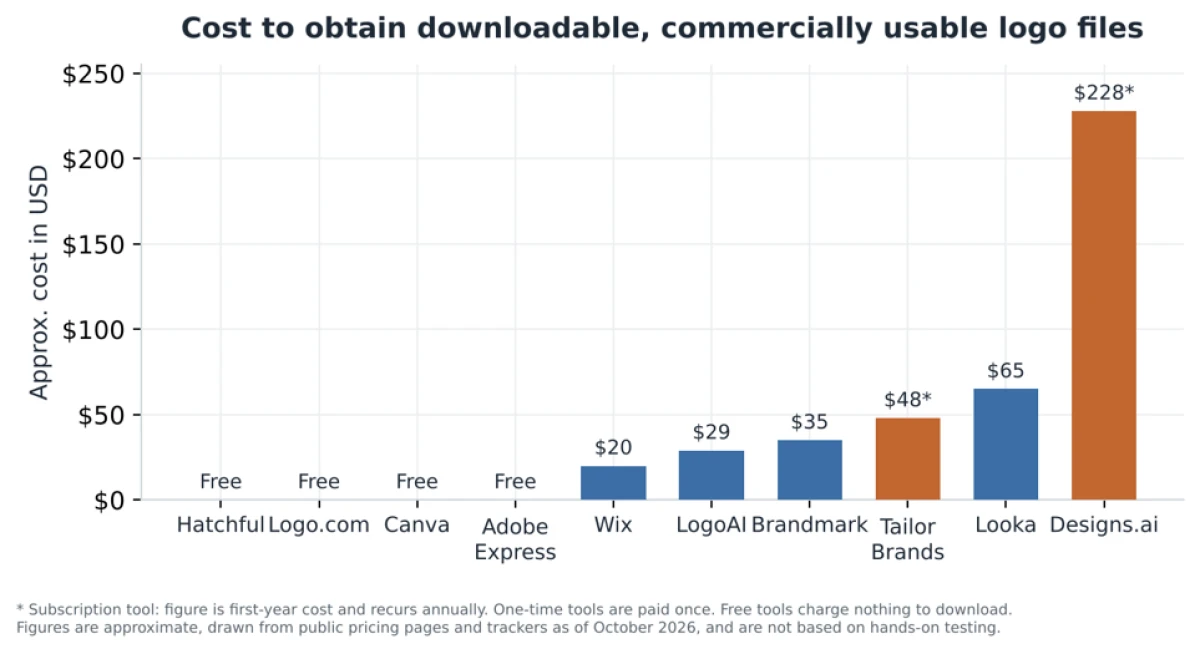
Figure 1. Approximate cost to obtain downloadable, commercially usable logo files. Subscription tools (marked with an asterisk) show first-year cost and recur annually; one-time tools are paid once. Public pricing, October 2026, not based on testing.
The ten AI logo makers, reviewed
1. Looka
What it is
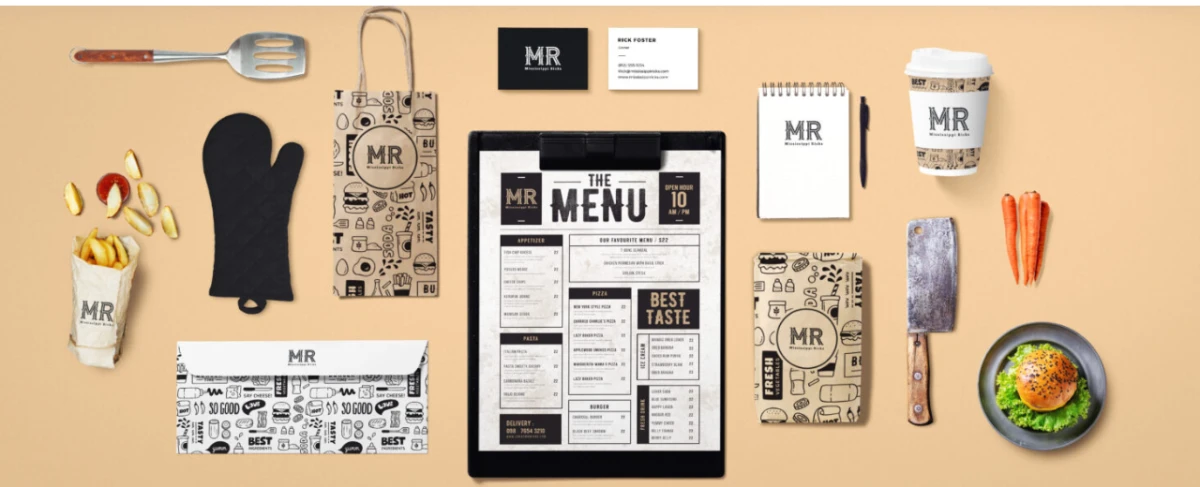
Looka is one of the more established AI logo makers, built around a two-step idea: generate a logo, then turn that logo into a full brand kit. You enter a name and preferences, Looka produces a range of options, and once you pick one it can auto-generate hundreds of matching branded items, from social media avatars to business cards and letterheads, all using the logo's colors and fonts.
Notable features
- AI logo generator that produces many industry-aware options from your inputs.
- Brand Kit that auto-builds 300-plus branded templates and marketing assets from the chosen logo.
- A simple website builder on the higher tier, plus a brand-guidelines starter with color codes and font choices.
- High-resolution and vector files on the paid logo package.
Pricing
Looka mixes one-time purchases with subscriptions. A Basic logo is around $20 for a single PNG, while the Premium package at roughly $65 is the one that includes vector files (SVG, EPS, PDF) and full ownership. The Brand Kit runs about $96 per year and the Brand Kit with a website is around $129 per year.
Strengths and trade-offs
Strength: Strong at turning one logo into a consistent set of branded assets, which is exactly what a brand identity needs.
Strength: The one-time Premium option means you can own vector files without an ongoing subscription.
Trade-off: Outputs can feel template-driven, so two Looka users in the same industry may land on similar directions.
Trade-off: The most useful branding features sit behind the annual Brand Kit subscription, not the one-time logo fee.
Best suited for
A new small business that wants more than a logo file and values a ready-made, coordinated brand kit over a highly original mark.
2. Brandmark
What it is
Brandmark, created by Jack Qiao, takes a more generative approach than most template-based tools. It uses neural methods to match icons, fonts, and colors into cohesive designs from your name and a few keywords, and it includes some unusual supporting tools.
Notable features
- Keyword-driven generation that aims for cohesive icon, font, and color combinations.
- Logo Crunch for producing clean versions of a mark at small sizes.
- Color palette and font-pairing suggestions matched to the generated logo.
- Access to the Brandmark team for custom concepts on the top tier.
Pricing
Brandmark uses one-time pricing, which is part of its appeal. Reported figures vary by source and tier: a basic package with PNG and some files sits in the $25 to $35 range, a fuller designer package with source files, brand guidelines, business cards, and social assets runs roughly $65 to $95, and an enterprise option in the $175 to $195 range adds hand-crafted concepts from the design team.
Strengths and trade-offs
Strength: One-time pricing with no recurring fee for the files you buy.
Strength: Tends toward more distinctive results than purely template-based tools, and the small-size optimization is a genuinely practical feature.
Trade-off: Source files you can edit in other software are gated to the paid designer tiers.
Trade-off: Independent reviews note it does not check generated logos against existing trademarks, so due diligence is on you.
Best suited for
Founders and freelancers who want a one-time purchase and a mark that looks a little less generic, and who are comfortable doing their own trademark check.
3. Tailor Brands
What it is
Tailor Brands started as a logo maker and has grown into a broader small-business platform that also offers website creation, domain registration, branded merchandise, and, in some regions, business-formation services such as LLC filing.
Notable features
- Logo maker covering wordmark, icon, and monogram directions with an editor for customization.
- A set of social-media-optimized logo sizes, reported at around 21 variations.
- Seasonal logo variations and a logo resize tool.
- Wider business tools: website builder, digital business card, and branded content makers.
Pricing
Tailor Brands is subscription-based, with plans commonly listed around $9.99 per month month-to-month or roughly $48 per year when billed annually on the entry plan, rising with higher tiers that add vector EPS files and more branding tools.
Strengths and trade-offs
Strength: A genuine all-in-one path if you need a logo plus the surrounding business setup in one place.
Strength: Good coverage of practical logo sizes for social platforms out of the box.
Trade-off: Pricing and cross-sells are frequently described as confusing, and key files sit behind higher tiers.
Trade-off: It is a subscription, so stopping payment can affect your access to assets and tools.
Best suited for
Entrepreneurs who want to bundle a logo with website, domain, and business-setup tasks and do not mind an ongoing subscription.
4. LogoAI
What it is
LogoAI positions itself as a text-to-logo tool backed by an engine trained on logo data and design conventions, rather than a fixed template library. Beyond generating the mark, it doubles as a brand-automation assistant that can produce posters, banner ads, business cards, and brand mockups, and it offers a logo API for businesses that want to generate marks programmatically.
Notable features
- AI logo generation from a business name, industry, and color choices.
- Natural-language refinement to adjust a generated logo by describing the change.
- Brand kit generation plus posters, ads, mockups, and business cards.
- Logo animation on higher tiers and a logo API for developers.
Pricing
LogoAI generally uses one-time tiers. Commonly cited figures are around $29 for a basic package that includes a transparent PNG and a vector file, about $59 for a pro tier with fuller branding elements, and roughly $99 for a brand tier that adds items like logo animation and a more complete kit.
Strengths and trade-offs
Strength: Vector files are included even in the entry one-time package, which is not always the case elsewhere.
Strength: Natural-language editing and the brand-automation extras suit people who want to generate matching assets quickly.
Trade-off: Several user comments note the per-logo cost feels high if you only need one small file for a side project.
Trade-off: It has a smaller public review base than the biggest names, so there is less independent feedback to lean on.
Best suited for
Users who want conversational control over the design and a tidy set of matching brand assets from a one-time purchase.
5. Wix Logo Maker
What it is
Wix Logo Maker is the branding arm of the Wix website platform, now powered by Wix's AI design tools. Its distinguishing feature is a guided, chatbot-style flow that walks you through the design process and then nudges you toward building out the rest of your brand.
Notable features
- AI-assisted logo generation with a conversational, step-by-step setup.
- High-resolution downloads including scalable SVG files on paid plans.
- Full commercial usage rights once you purchase and download.
- Direct handoff into a Wix website and wider Wix branding tools.
Pricing
Wix is free to design with, but the free download is a low-resolution sample rather than a usable production file. To own proper files you move to a paid option, with logo purchases commonly starting around $20 and bundles that combine a logo with a Wix website and domain available at monthly rates.
Strengths and trade-offs
Strength: The guided flow lowers the barrier for complete beginners, and SVG export is available.
Strength: Seamless if your site is going to live on Wix anyway, since the logo flows straight into the build.
Trade-off: The free download is only a low-quality sample, so a usable logo always has a cost.
Trade-off: Credit limits on AI generation can feel opaque until you hit them.
Best suited for
Anyone planning to build their website on Wix, or a beginner who wants a hand-held path from logo to finished files.
6. Logo.com
What it is
Logo.com is built from the ground up as a logo maker rather than a general design tool, and it runs a purpose-built logo AI alongside custom vector icon generation. Its standout is a genuinely usable free tier: you can generate logos, download them, and receive full commercial ownership without paying, which is unusual in this category.
Notable features
- Dedicated logo AI with keyword suggestions and custom vector icons.
- Free downloads that include full commercial ownership on the free plan.
- A large template library and a branded website option on paid plans.
- SVG and other production formats for scaling across uses.
Pricing
Logo.com runs a free plan at no cost and a Pro plan billed at roughly $10 to $12 per month, or about $120 per year, which adds more templates, brand assets, and a branded website.
Strengths and trade-offs
Strength: A free plan that grants commercial ownership and real downloads, which keeps the cost of entry at zero.
Strength: Focused specifically on logos, so the core flow is fast and uncluttered.
Trade-off: The generation is less advanced and less distinctive than the more generative tools, so originality can suffer.
Trade-off: It does less beyond the logo than full brand-kit platforms unless you move to Pro.
Best suited for
Anyone who wants a quick, low-cost logo they can own outright, especially if budget is the main constraint.
7. Designs.ai
What it is
Designs.ai is not a logo specialist but a broad AI creative suite, with a logo maker sitting alongside tools for video, graphics, text-to-speech voiceovers, and marketing copy.
Notable features
- AI logo maker as one module in a larger creative suite.
- Video maker, graphic maker, and AI voiceover tools that share your brand assets.
- Color-matching and font-pairing helpers for consistency across formats.
- Commercial use of created content and a cloud-based, all-in-one workflow.
Pricing
Designs.ai is subscription-based with a limited free tier for trying the tools. Paid plans are commonly listed starting around $29 per month, with higher tiers and enterprise pricing for teams.
Strengths and trade-offs
Strength: Useful if you need a logo plus ongoing video, graphics, and voice content from one subscription.
Strength: A logo made here can be reused immediately across the suite's other formats.
Trade-off: Expensive and oversized if a logo is genuinely all you need.
Trade-off: Independent review scores for the platform are mixed, and some outputs are reported to need refinement.
Best suited for
Small teams and marketers who want one subscription covering logo, video, graphics, and voiceover rather than a standalone logo file.
8. Canva
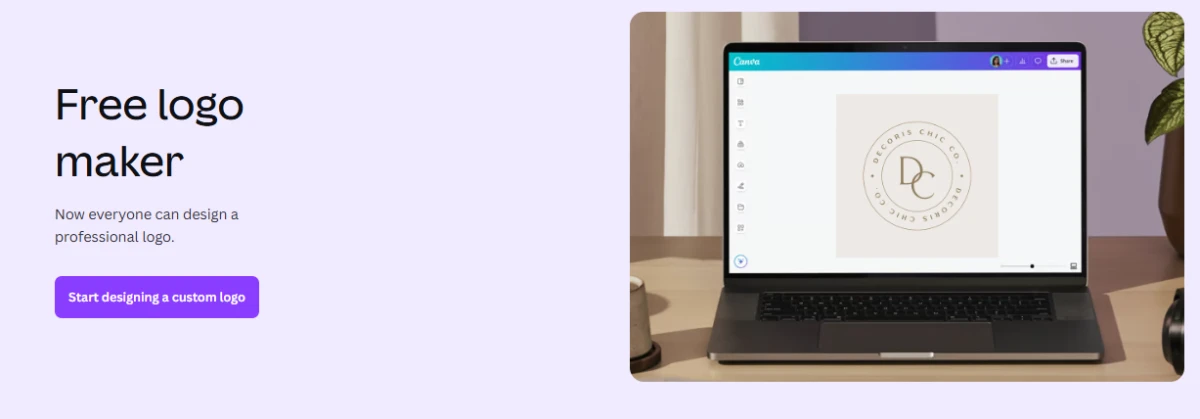
What it is
Canva is a general-purpose design platform rather than a dedicated logo generator, and that framing explains both its strength and its weakness here. Its logo maker is more template-driven than AI-native, but the moment your logo is done you are already inside the same tool you will use for social posts, presentations, and print materials, with your brand colors and fonts on hand.
Notable features
- Logo maker with a very large template and element library.
- Magic Studio AI features for image generation, background removal, and editing, with monthly usage limits.
- Brand kit support for storing logos, colors, and fonts, expanded on paid plans.
- One platform that carries the logo into every other kind of design you need.
Pricing
Canva has a free tier that can export logos, a Pro plan at roughly $15 per month, and Business pricing around $20 per seat per month. AI features run on a shared monthly credit allowance that is small on the free plan and larger on paid plans. One important caveat for brand identity: Canva's terms do not let you trademark a logo that uses its stock templates or elements, and you do not get exclusive rights to those shared assets. For a logo you intend to protect, that is a real limitation.
Strengths and trade-offs
Strength: Unmatched for carrying one logo across every other design asset a brand needs, with an easy learning curve.
Strength: A free tier that is genuinely usable for getting a mark out quickly.
Trade-off: The logo tool itself is basic next to dedicated generators, and results lean on shared templates.
Trade-off: You generally cannot trademark a logo built from Canva's stock elements, and originality can be hard to guarantee.
Best suited for
People and teams who already use Canva for everything else and want their logo to live in the same place, provided they do not need exclusive, trademarkable marks.
9. Adobe Express
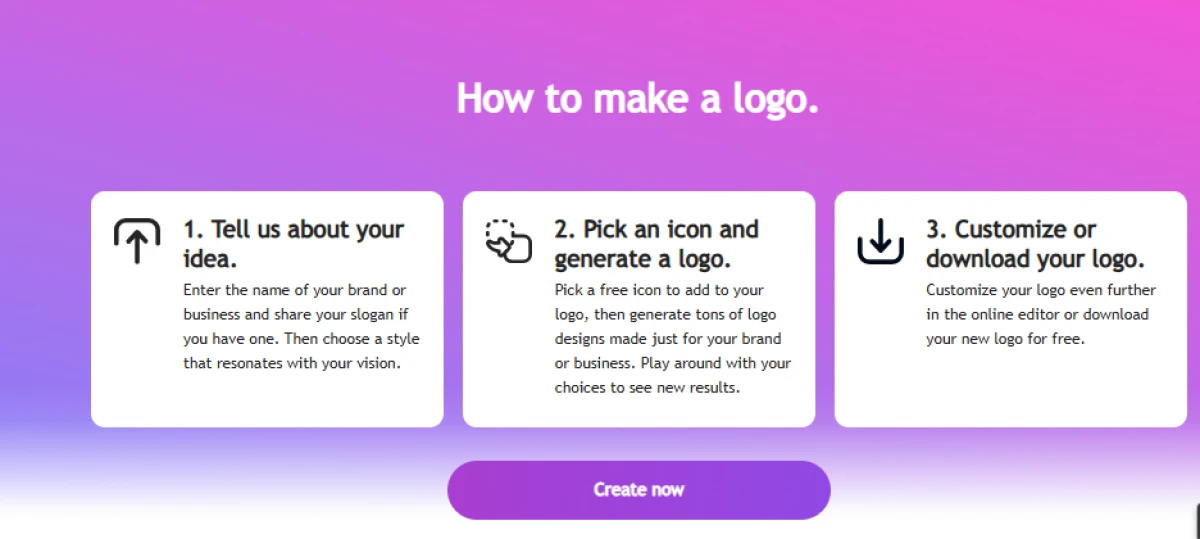
What it is
Adobe Express folds a free logo maker into Adobe's browser-based, lightweight design tool, with generative features powered by Firefly. For brand work, its most meaningful differentiator is commercial safety: Adobe trains Firefly on licensed and public-domain content and offers indemnification on its generative output, which lowers the legal risk of using AI-created imagery in a brand.
Notable features
- Logo creation inside a wider design tool, with Firefly-powered generative features.
- Brand kit support for storing a logo, colors, and fonts for consistent reuse.
- Access to Adobe Fonts and a large stock library, with more unlocked on paid tiers.
- Commercially safe Firefly generation with Adobe's content-credentials approach.
Pricing
Adobe Express has a free plan with a limited daily allowance of Firefly generations, a Premium plan at roughly $9.99 per month that adds a monthly pool of generative credits and the full feature set, and a Firefly Pro tier around $19.99 per month for heavier AI use.
Strengths and trade-offs
Strength: Firefly's commercial-safety and indemnification stance is a real advantage for business use of AI imagery.
Strength: Sits inside the Adobe ecosystem with strong fonts and a clean, approachable editor.
Trade-off: The logo tool is less specialized than dedicated logo generators.
Trade-off: The full AI feature set and larger libraries require a paid plan.
Best suited for
Business owners who want AI-generated brand imagery with a clearer commercial-safety position, or anyone already working inside Adobe's tools.
10. Hatchful by Shopify
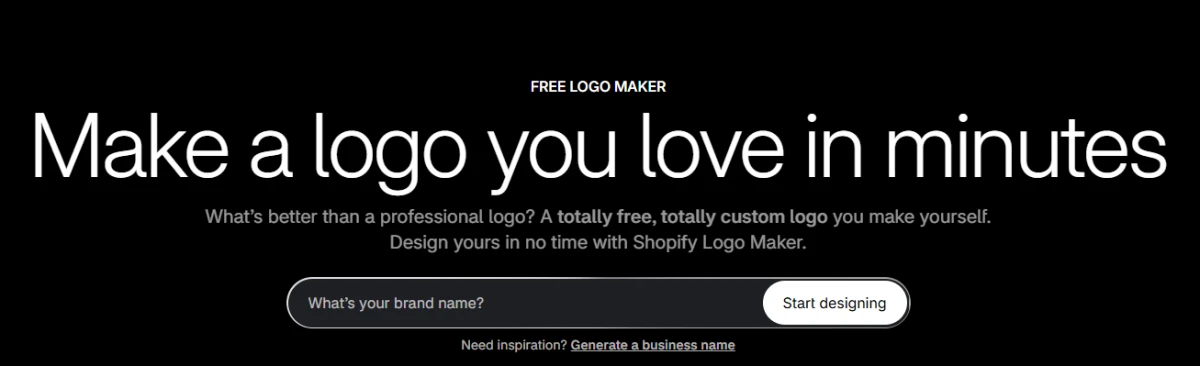
What it is
Hatchful, now also referred to as the Shopify Logo Maker, is Shopify's free, template-based logo tool aimed squarely at people launching an online store. You answer a few questions about your business and visual style, and it recommends logo directions based on your niche.
Notable features
- Free logo creation with niche-based style recommendations and a reported 13,000-plus design possibilities.
- High-resolution PNG and SVG files, plus a set of social-media-sized assets.
- Unlimited revisions during the design process.
- Companion free Shopify tools such as a business name generator, slogan maker, and domain generator.
Pricing
Hatchful is free, including the downloads, which is its defining feature. The only requirement is a free Shopify account to complete the download. There are no paid logo tiers to unlock higher-resolution files.
Strengths and trade-offs
Strength: Genuinely free with no upsell wall for the logo itself, and it provides many ready social sizes plus SVG.
Strength: Fast and frictionless, and it plugs directly into a Shopify store.
Trade-off: It is template-based, so two stores can end up with noticeably similar marks, and editing control is limited.
Trade-off: Reviewers note the commercial-usage terms are not clearly stated and some elements come from third parties, so read the terms before you rely on it.
Best suited for
New Shopify and ecommerce sellers who need a clean, serviceable logo at no cost to launch with, and who can replace it later if the brand grows.
File formats and ownership, side by side
For a brand identity, two questions matter more than first-draft looks: can you get vector files, and do you actually own the result?
| Tool | Typical export formats | Commercial use | Ownership note |
|---|---|---|---|
| Looka | PNG; SVG, EPS, PDF on Premium | Yes, on paid logo | Full ownership with Premium; kept after cancelling Brand Kit |
| Brandmark | PNG; source and vector on higher tiers | Yes, on purchase | Owned once purchased; editable files need higher tiers |
| Tailor Brands | PNG; vector EPS on higher plans | Yes, on paid plans | Ownership and file access tied to plan level |
| LogoAI | Transparent PNG and vector from entry tier | Yes, on purchase | Owned after one-time purchase |
| Wix Logo Maker | High-res PNG and SVG on paid | Yes, after purchase | Full commercial rights once bought; free export is a sample |
| Logo.com | PNG; SVG and more | Yes, including on free plan | Commercial ownership on the free tier |
| Designs.ai | Standard raster and vector exports | Yes | Commercial use of created content under subscription |
| Canva | PNG; SVG on Pro | Yes for original designs | Cannot trademark logos using Canva stock elements; no exclusive rights |
| Adobe Express | PNG; vector and more | Yes; Firefly is commercially safe | Firefly output carries Adobe's indemnification |
| Hatchful (Shopify) | High-res PNG and SVG | Generally allowed, terms are unclear | Terms not clearly stated; some third-party elements |
Choosing the right tool for your situation
Rather than a single best pick, it helps to start from your constraint and work back to a shortlist.
On a zero budget: Logo.com and Hatchful both let you download a usable logo for free. Logo.com is clearer on ownership; Hatchful is the natural choice if you sell on Shopify.
Want to pay once and own it: Looka's Premium package, Brandmark, and LogoAI all offer one-time purchases that include vector files.
Need a full brand kit, not just a logo: Looka is built around this, and LogoAI and Tailor Brands also generate matching assets.
Already live in one ecosystem: Canva if you design everything there, Adobe Express if you use Adobe tools, and Wix if your site will be on Wix.
Want the most distinctive output: Brandmark leans more generative and less template-bound, though you should still check the result for similarity to existing marks.
Need more than logos from one subscription: Designs.ai bundles logo creation with video, graphics, and voice, which is worth the cost only if you will use the rest.
Things to check before you commit
A logo made in minutes still carries long-term consequences for your brand. A few checks save a great deal of rework later.
Ownership and licensing
Confirm whether you receive full ownership or a non-exclusive license. Free tiers sometimes grant only limited rights, and shared template elements (a known issue with general design tools) can mean you never hold exclusive rights to the mark. If the logo matters to your business, buy the tier that grants clear ownership and includes editable source files.
Trademark and uniqueness
None of these tools can guarantee your logo is legally clear to use, and most do not check generated marks against existing trademarks. Before you build a brand on a mark, run a reverse image search and a trademark search in your market, and strongly consider legal advice if you plan to register it.
File formats you will actually need
At minimum, get a vector file (SVG or EPS) so the logo scales cleanly from a favicon to signage, a transparent PNG for placing on different backgrounds, and high-resolution raster versions. A logo supplied only as a small PNG will limit you the first time you need to print it large.
Consistency across the brand
A logo is one piece of an identity. Tools that also hand you color codes, font choices, and ready social and print variants make it far easier to stay consistent, which is what makes a brand feel established rather than improvised.
Final thoughts
The useful way to think about these ten tools is by the job in front of you. If budget is the constraint, Logo.com and Hatchful get you a usable, owned logo for nothing. If you want to pay once and keep the files, Looka's Premium package, Brandmark, and LogoAI do that. If a logo is only the start of a wider identity, the brand-kit platforms and the ecosystem tools (Canva, Adobe Express, Wix) carry your mark into everything else you make. And if you want a logo alongside video, graphics, and voice from a single subscription, Designs.ai covers that at a higher cost.
Whichever you choose, the parts that protect your brand are the same across all of them: get vector files, confirm you own the result, and check the final mark for uniqueness before you build on it. An AI logo maker can get you to a professional first impression quickly. Treating its output as a strong draft, rather than an untouchable final, is what turns a fast logo into a brand identity you can stand behind.

With experience writing 500+ pieces of content across different formats, I focus on making technology and cybersecurity topics clear, informative, and accessible. At **TechJox**, I cover tech news, cybersecurity trends, digital safety, and practical guides that help readers stay informed and make better decisions. My approach combines research, accuracy, and simple storytelling to turn complex information into useful, engaging, and easy-to-understand content.
Discussion (0)
You need a free TechJox account to join the discussion and report scams you spot.