I ran one group photo through eight editors. Here is what each one gave back.
I had a single group selfie and a plain question. Which AI editor could upscale it and clean it up without turning three real faces into wax? So I fed the same shot to eight tools and kept notes as I went.
A few only resized. Some went further and let me recolour hair or clothing from a text prompt. One handed me nothing at all. Every result below started from the exact same image.
How I tested
The base was a 1536 by 1024 outdoor portrait of three friends at dusk. From each tool I asked for the same two things wherever they were on offer: a larger, cleaner version of the photo, and a retouch that left the faces intact. The editors that accept prompts also got a targeted edit to see how far they could be pushed.
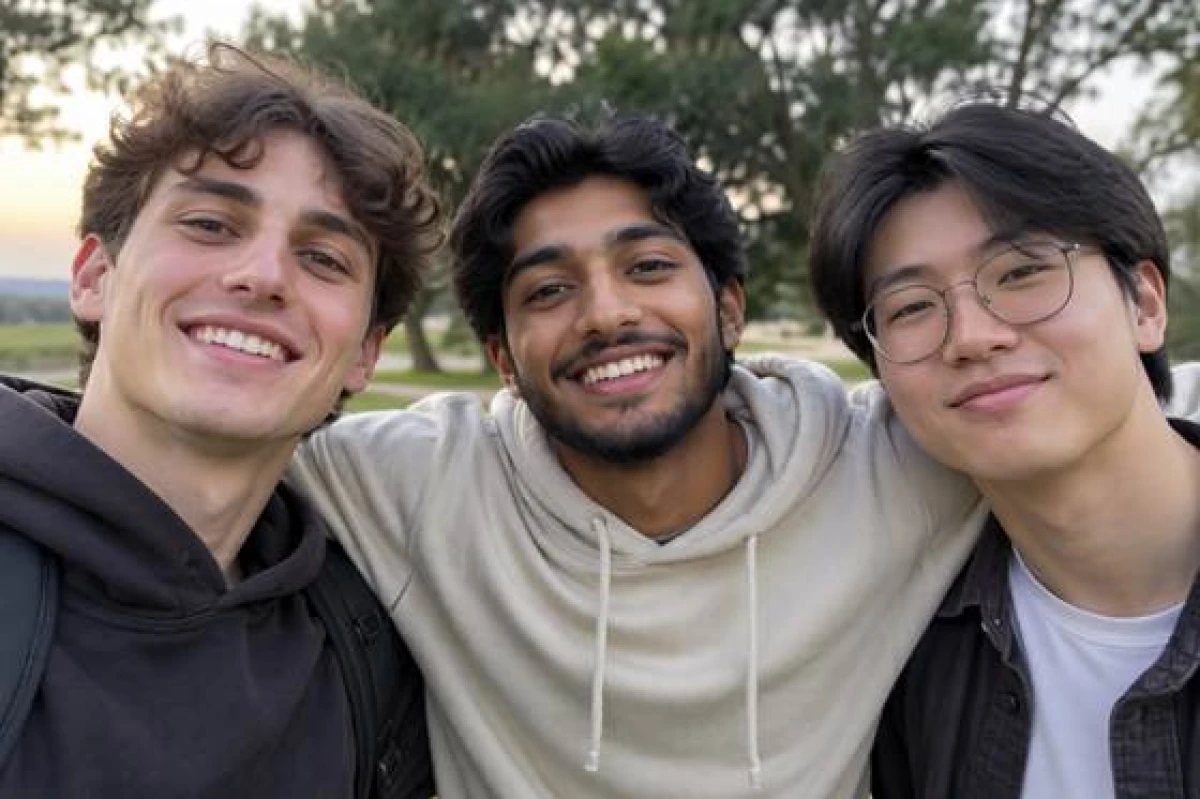
The original shot I used for every test.
1. Fal AI
Fal was my first stop. It returned a version fast, though the preview came back small and a little soft at the edges.
What worked: Skin tones stayed natural and nobody’s face was bent out of shape.
What didn’t: The output read more like a compressed preview than a finished upscale, so the hair and background stayed flat.
Fal AI output.
2. EZCreate
EZCreate pushed warmer. Skin gained texture and the whole frame looked sharper than Fal’s pass.
What worked: Extra micro-detail turned up in faces and fabric without the crunchy look of over-sharpening.
What didn’t: The warm cast ran strong enough that the evening light started posing as golden hour it never had.
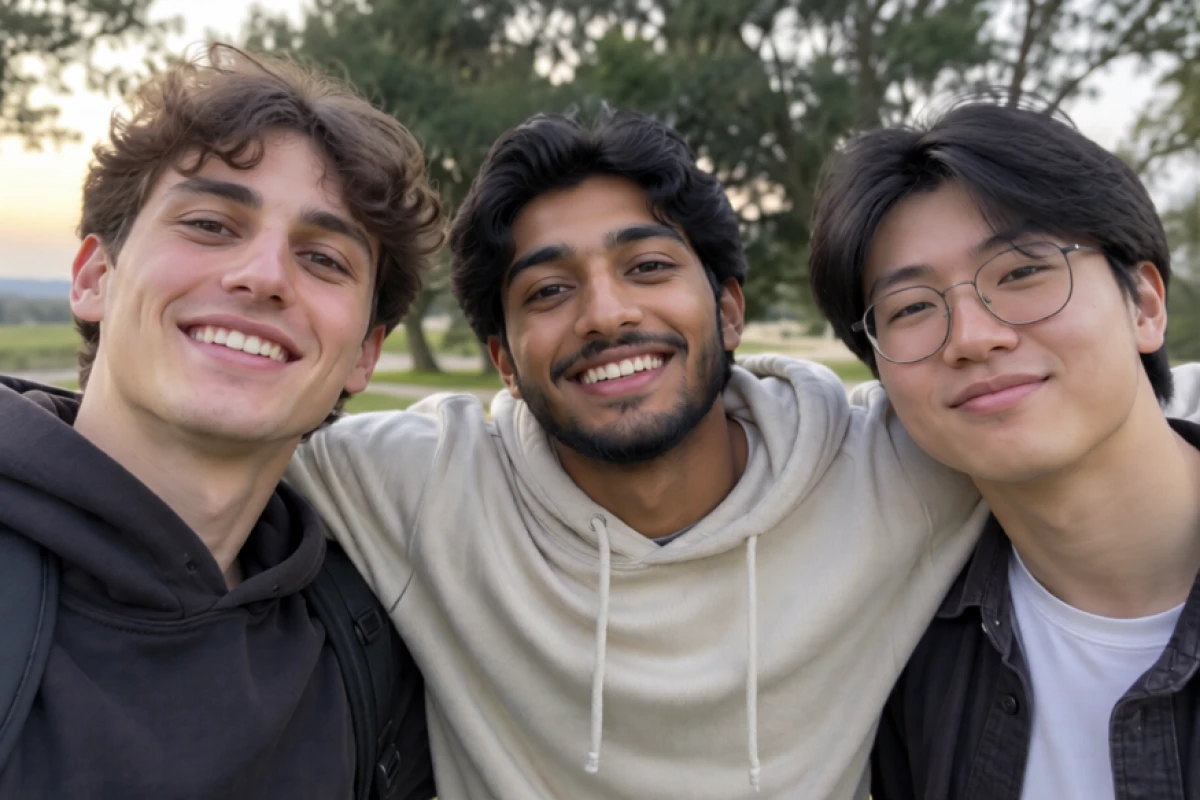
EZCreate output.
3. Magic Hour AI
Magic Hour gave me the cleanest single frame of the early tools. It also cropped in tighter and recomposed the shot against the sky.
What worked: Crisp eyes and a believable sense of depth behind the three of them.
What didn’t: I asked for an upscale, not a reframe. Losing the wider composition meant losing part of the picture I started with.
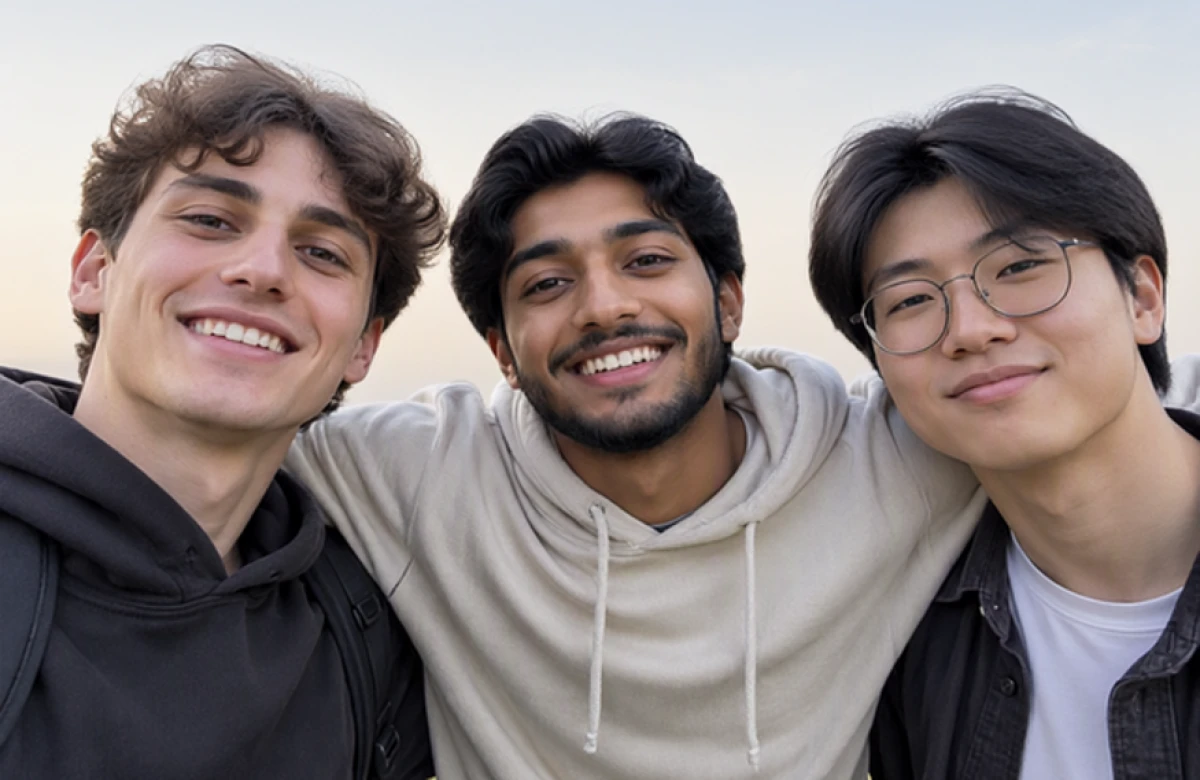
Magic Hour AI output.
4. IObit

IObit is where the run stalled. I never got a usable result out of it, and it automatically showed that free limit is reached though I have not tried any image on it yet. With nothing to look at, it sits out of the comparison on quality alone. I am leaving it in the writeup because a tool that fails to deliver is still part of an honest test.
5. PhotoEditor AI
PhotoEditor AI was the first tool that did more than resize. Its upscaler offered a clean jump from 1536 by 1024 up to 3072 by 2048.
What pulled me back was the prompt box. I asked it to recolour hair while holding on to the original style and volume.
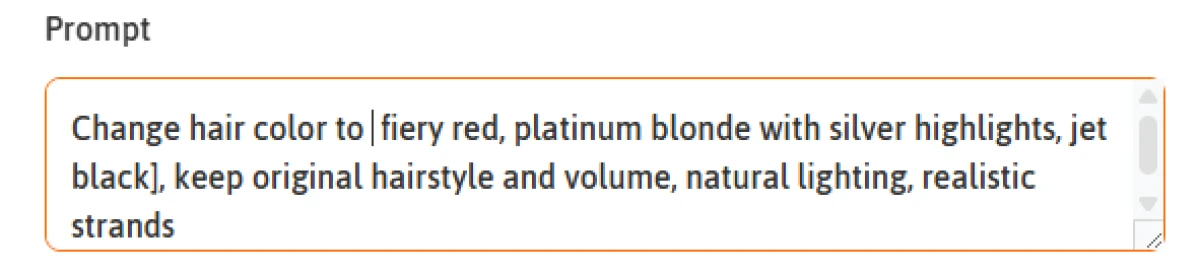
The hair-recolour prompt I handed it.
The result surprised me. The friend on the left went fiery red and the one in the middle turned silver, and both kept their real hairlines and strand direction instead of smearing into a helmet.
What worked: The recolour respected the actual shape of the hair, and the friend on the right was left alone.
What didn’t: The daily cap interrupts a proper editing session before it is finished.
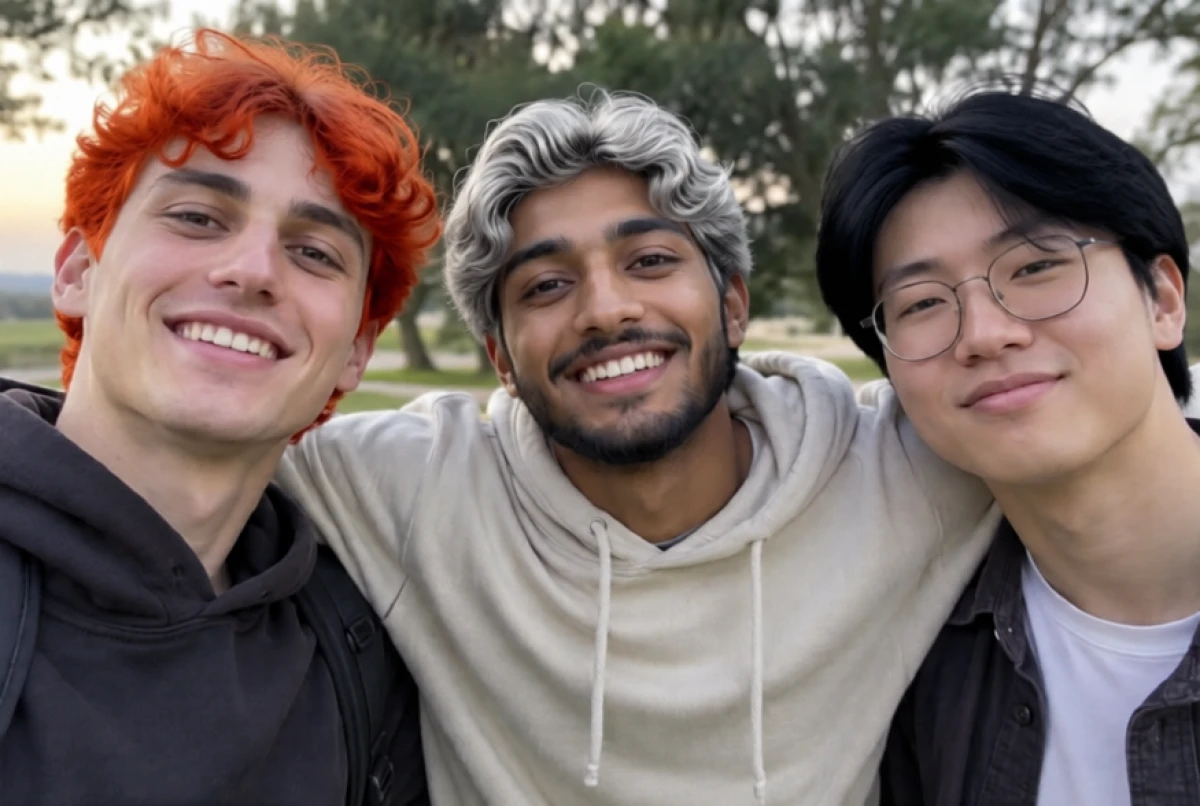
PhotoEditor AI after the hair recolour.
6. FyndPixel Bin
FyndPixel Bin I used for a narrower job: change one person’s clothing colour and touch nothing else.
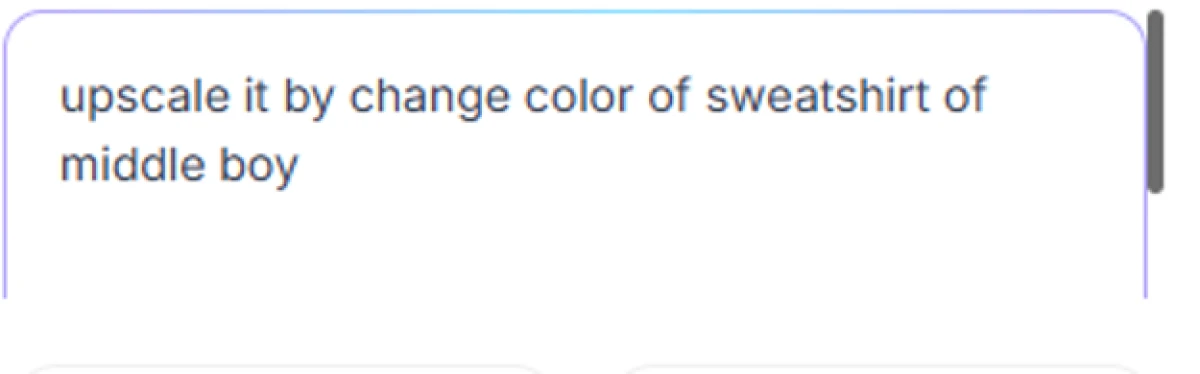
A single-target recolour instruction.
It took the middle hoodie to a deep green and left every face and the other two outfits exactly as they were.
What worked: The edit was surgical, with clean edges around the drawstrings and the hood.
What didn’t: I asked it to upscale in the same prompt and the resolution barely moved, so this reads as a recolour tool more than an upscaler.
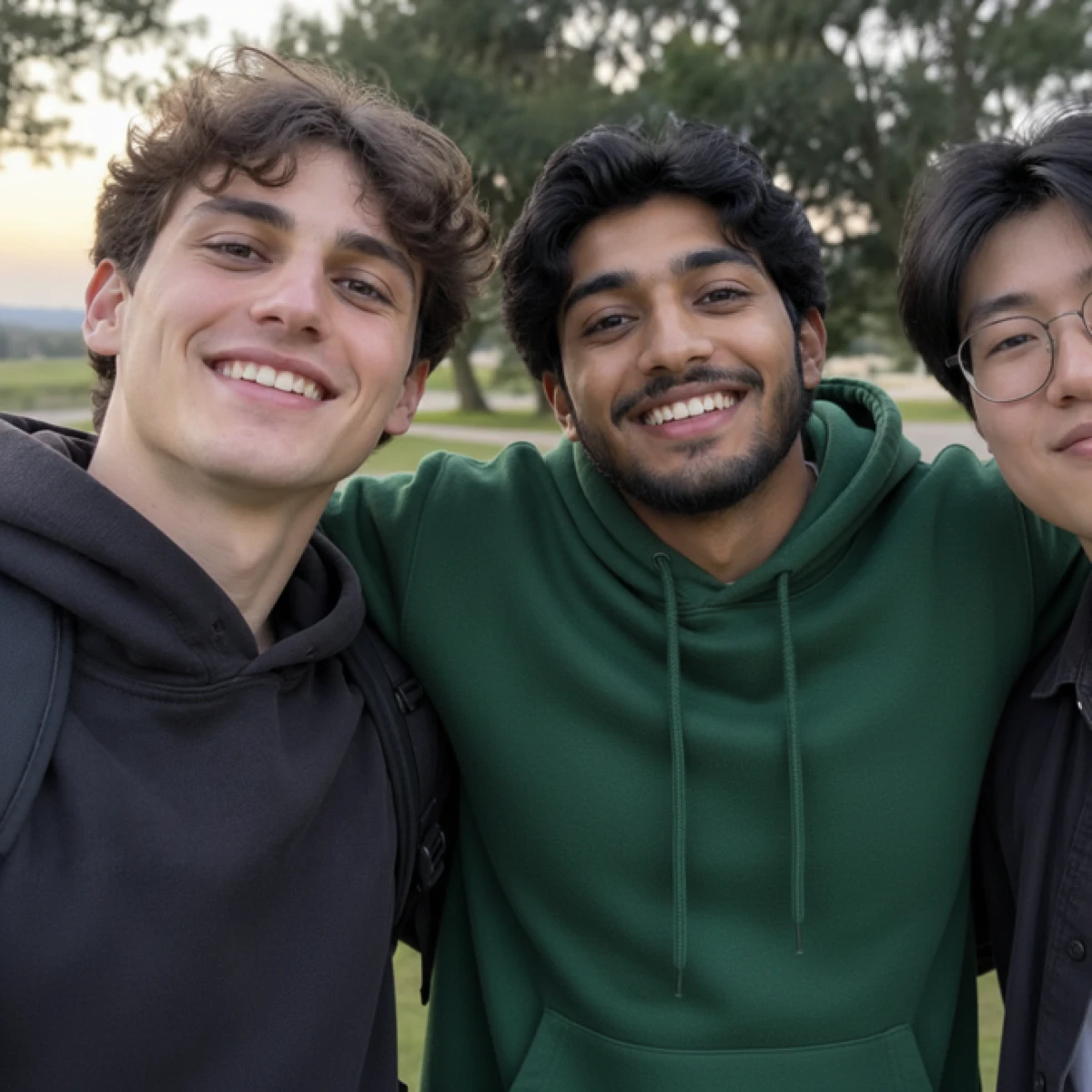
FyndPixel Bin after the sweatshirt recolour.
7. Deep-Image AI
Deep-Image AI leans on a one-click Auto Enhance, shown here as a before-and-after slider.
The enhance lifted contrast and sharpened the midtones, and the faces gained definition without looking processed.
What worked: The automatic pass is good and needs no prompt at all.
What didn’t: The free output arrives stamped with a repeating watermark across the frame, so nothing is usable without paying.
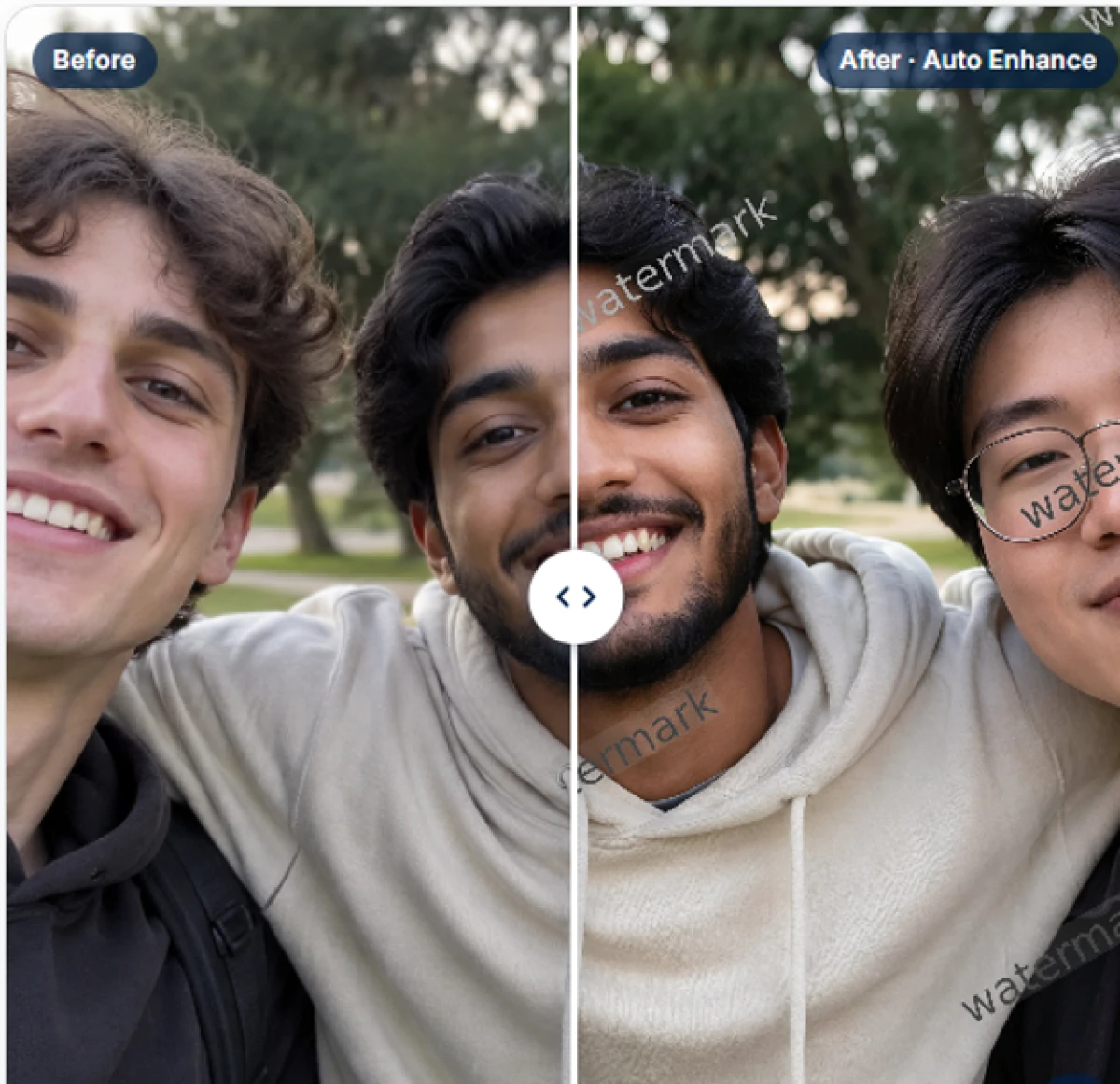
Deep-Image AI Auto Enhance, free tier, watermark and all.
8. Artguru
Artguru closed the test with the biggest resolution jump, from 1536 by 1024 to 4096 by 2730.
Detail recovery was the strongest of the group. Edges tightened and the background trees resolved, with the faces holding together at 4K.
What worked: This is the upscale I would actually ship, if not for one catch.
What didn’t: The free result carries an Artguru watermark, the same wall Deep-Image put up.
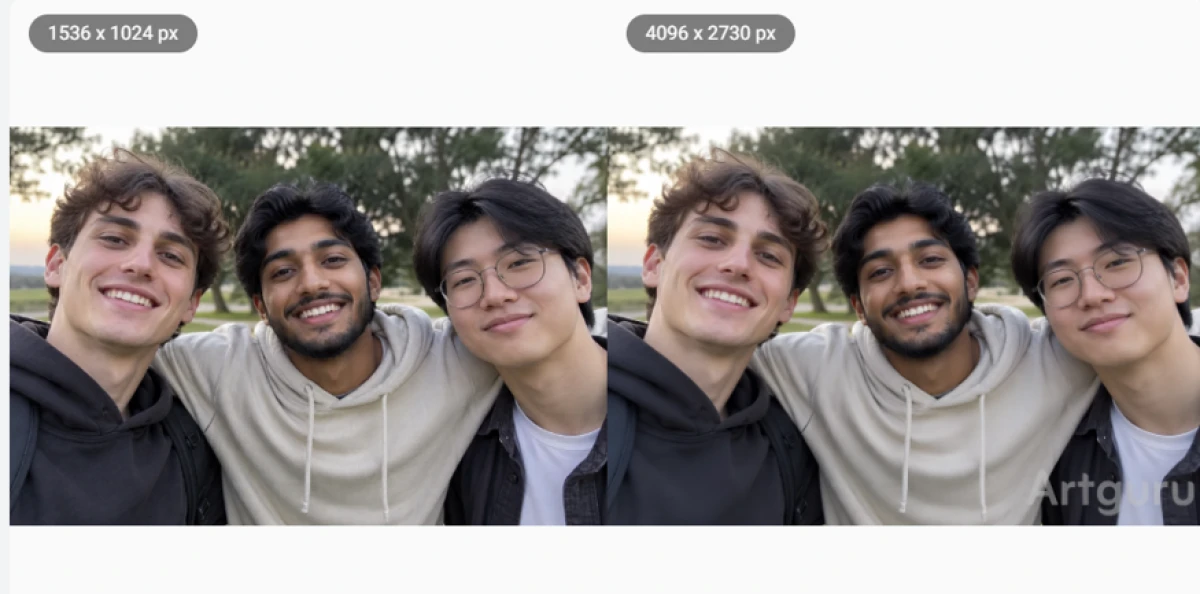
Artguru, 1536 by 1024 on the left against the 4096 by 2730 upscale.
The results side by side
| Tool | What I used it for | Output | Standout | Drawback |
|---|---|---|---|---|
| Fal AI | Quick upscale | Small, soft preview | Faces left undistorted | Flat, low detail |
| EZCreate | Upscale and retouch | Warmer, sharper | Real micro-detail in skin | Heavy warm cast |
| Magic Hour AI | Upscale | Clean but reframed | Crisp eyes and depth | Cropped the composition |
| IObit | Upscale | None | Nothing to judge | Returned no output for me |
| PhotoEditor AI | Upscale and hair recolour | Strong prompt edit | Realistic hair recolour | Tight daily free limit |
| FyndPixel Bin | Targeted clothing recolour | Clean surgical edit | Precise masking | Weak as an upscaler |
| Deep-Image AI | Auto enhance | Good, watermarked | One-click quality | Watermark on free tier |
| Artguru | 4K upscale | Best detail, watermarked | Sharpest result | Watermark on free tier |
Where I landed
Two tools earned a spot in how I actually work. Artguru for the raw upscale when I need real resolution, and PhotoEditor AI when the job turns on a prompt-driven change like hair. FyndPixel Bin stays on the bench for one-off clothing or object recolours where precision beats size.
The rest taught me what to watch for. Watermarks and daily caps end up deciding more than model quality does, because a sharper photo I cannot export is worth less than a slightly softer one I can. My next test puts the two paid tiers head to head on the same face, since that is the only way to tell which detail is recovered and which is invented.
Conclusion
After testing eight AI photo editors on the same group photo, I found that no single tool handled every task equally well. Artguru delivered the sharpest upscale, PhotoEditor AI performed better for prompt-based changes, and FyndPixel Bin handled targeted clothing edits with precision.
However, image quality was only half the story. Watermarks, free-tier limits, and unwanted cropping affected how useful the results were. For straightforward enhancement, Deep-Image AI was convenient, but its watermark limited the free output.
My takeaway: Choose an AI photo editor based on what you need to fix, not just how sharp its sample images look. A good editor should improve the photo without changing the faces, composition, or details you wanted to preserve.
Ethan Mitchell is a technology writer at TechJox, specializing in artificial intelligence, cybersecurity, SaaS platforms, software applications, and digital automation. His writing covers AI tools, data privacy, emerging technologies, and software reviews, with a focus on practical insights, clear explanations, and helping readers make informed technology decisions.
Discussion (0)
You need a free TechJox account to join the discussion and report scams you spot.