
I manage posting across more accounts than I can comfortably hold in my head, and the monthly ritual of logging into each platform one by one had quietly turned into an hour I kept losing. So I went looking for an AI scheduler to take the busywork off my plate. The trouble was that every “best schedulers” list I opened read the same way: a wall of feature bullets, a pricing grid lifted straight off the vendor, and a cheerful verdict that happened to favour whoever wrote the post.
I wanted something closer to the truth. So I picked a shortlist, opened a fresh browser, and actually created accounts. I gave each tool the same plain job: get me from a cold sign-up to a scheduled post, and show me honestly how much the AI helped on the way.
Three of those sign-ups are worth walking through, and they did not all land the same way. One broke before I could post anything. Two others let me in and had me set up within minutes. After that I cover the other names that keep turning up on these lists and the scorecard for the tools I could actually use.
What I actually wanted from a scheduler?
Before I signed up for anything, I wrote down what I was grading. Most roundups bury this part or skip it, which is how you end up with a “winner” that happens to be the author’s own employer. My list came from the work itself, the things I do every week, not from a vendor’s feature page. I called it my sit-down test, five signals, each scored out of ten.
Entry. Can I create an account without hitting a wall? It sounds basic until a tool fails it, and a sign-up that breaks is a fair preview of the support you will get later.
Setup speed. How long from a blank account to a workspace I can post from? I counted clicks and minutes, not marketing promises.
AI usefulness. When the AI writes a caption or picks a time, is the output something I would actually publish, or a rough first draft I have to rewrite from scratch?
Channel reach. Does it cover the platforms I post to, including newer ones like Threads and TikTok, or only the easy two?
Daily workflow. Once the novelty wears off, is the calendar and the planning view something I would open every morning, or a chore I would abandon by week two?
One rule held the whole thing together: a tool had to clear Entry before anything else counted. A product I cannot log into is not a product I can review.
1. Blaze AI
Blaze was first on my list, partly because its own content ranks well for exactly this search. Its blog runs a confident roundup of scheduling tools that, no surprise, lands on Blaze as the top pick. The positioning is sharp and the product promises the full stack: AI writing, a visual content calendar, autoposting and ad campaigns layered on top. I was ready to like it.
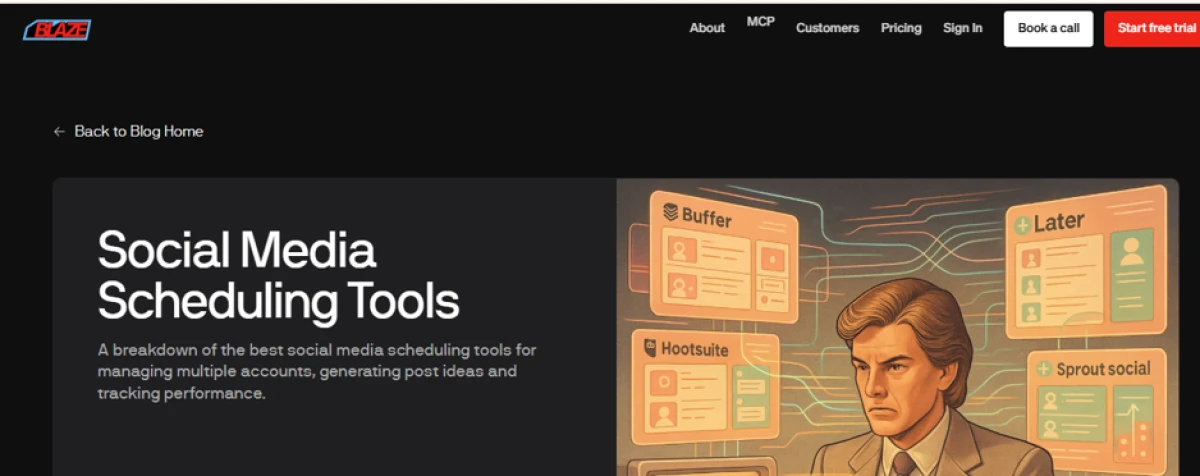
Blaze’s own blog ranks for “social media scheduling tools” and names Blaze the top pick. Fair enough, so I went to try it.
Then I hit the sign-up screen. The usual social buttons sat above a plain email and password form, nothing unusual. I went with the email route first.
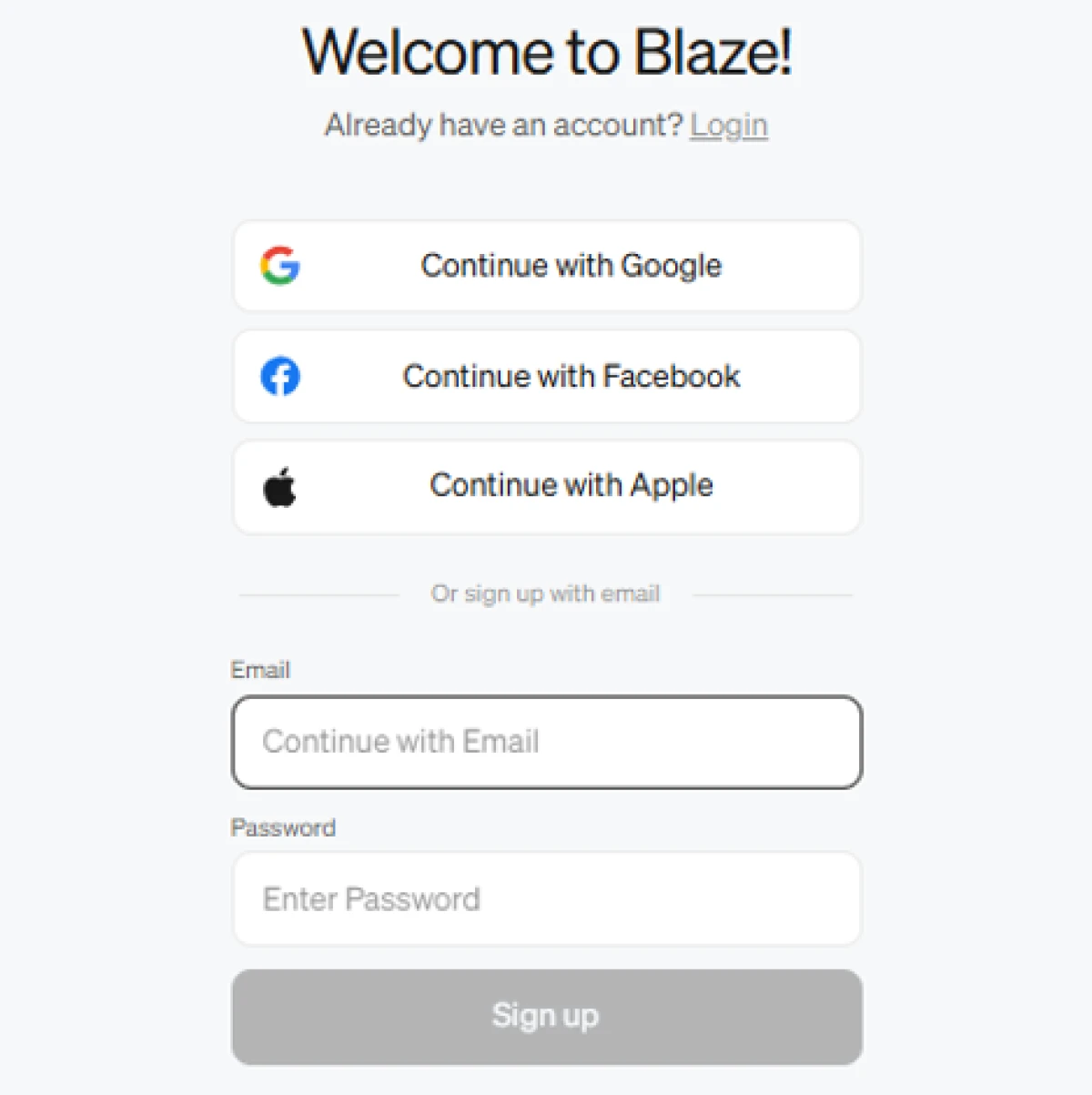
The Blaze sign-up screen. Standard social options above a simple email and password form.
Every attempt ended the same way. I filled in the email, set a password, pressed the button, and got a flat red line back: “An error occurred. Please try again.” So I tried again. I switched to a different email address. I reloaded the page and started over. I came back to it later. The message never changed.
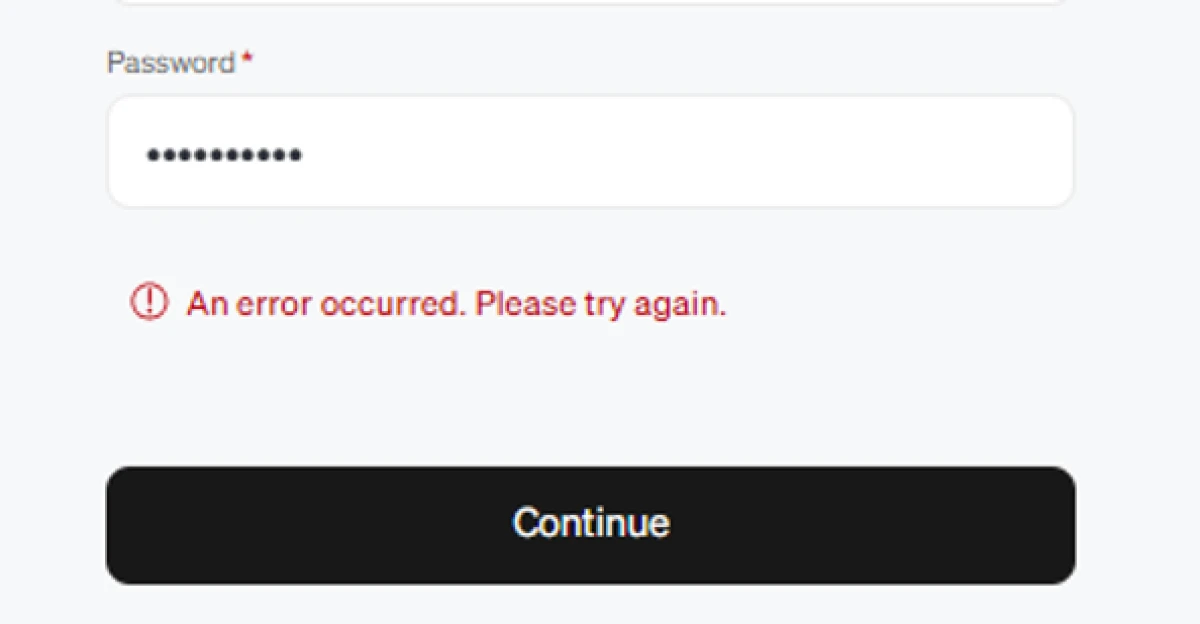
The same red error on every attempt, across different emails and a fresh page load. I never got an account.
I want to be fair here. A sign-up endpoint can have a bad day, and it is possible a Google login would have slipped me through where email did not. But I was testing Blaze the way a real buyer would, from a cold start with no insider help, and from that seat the result is plain: I could not create an account, so I never saw the product. For a tool asking $79 a month at its entry tier, the front door failing on repeat is not a minor thing. It was the first data point I had, and the only one, and it was not a good one.
Because I never got in, I am not going to score Blaze’s calendar or its AI, or rate features I never touched. That would be exactly the borrowed-opinion reviewing I set out to avoid. Blaze does not appear on my scorecard. If the sign-up is working by the time you read this, the product may well be strong, and its own blog certainly argues the case. I can only tell you what happened when I tried.
2. UNUM
Next up was UNUM. Same cold start, same simple goal. This time I got all the way through, so this is the real walkthrough: every step from the homepage to a planned, scheduled feed, with the screens exactly as I saw them.
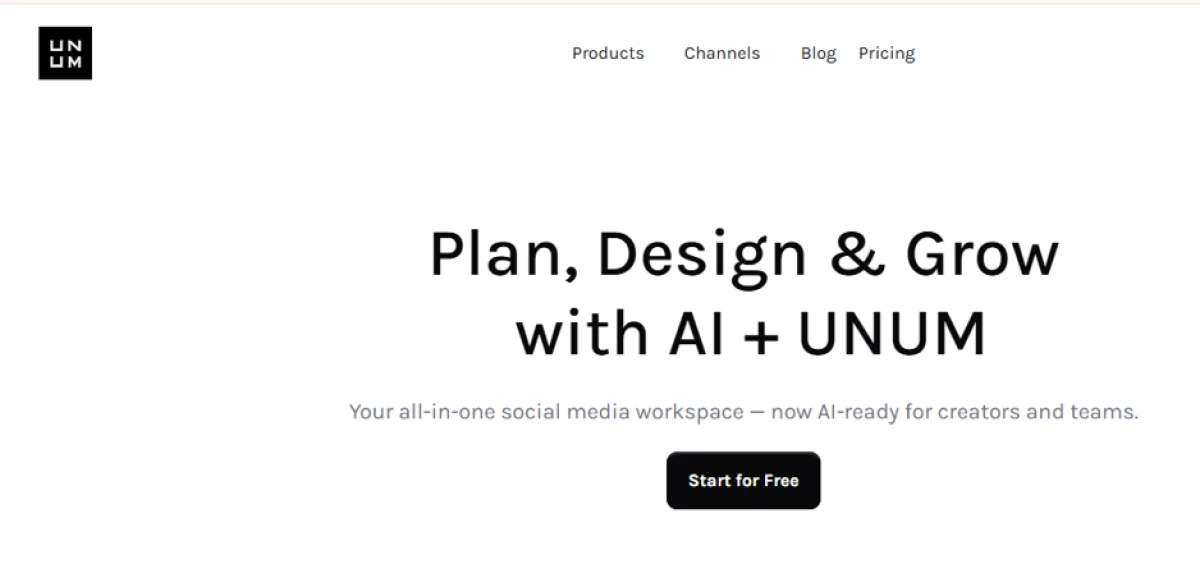
UNUM’s homepage. The pitch is an all-in-one social workspace with AI built in, and a single “Start for Free” button.
The homepage sells UNUM as an all-in-one social workspace, now with AI for planning and scheduling across the major platforms. There was one clear call to action and no credit card gate, which already put it ahead of tools that want your card before you have seen anything. I clicked Start for Free.
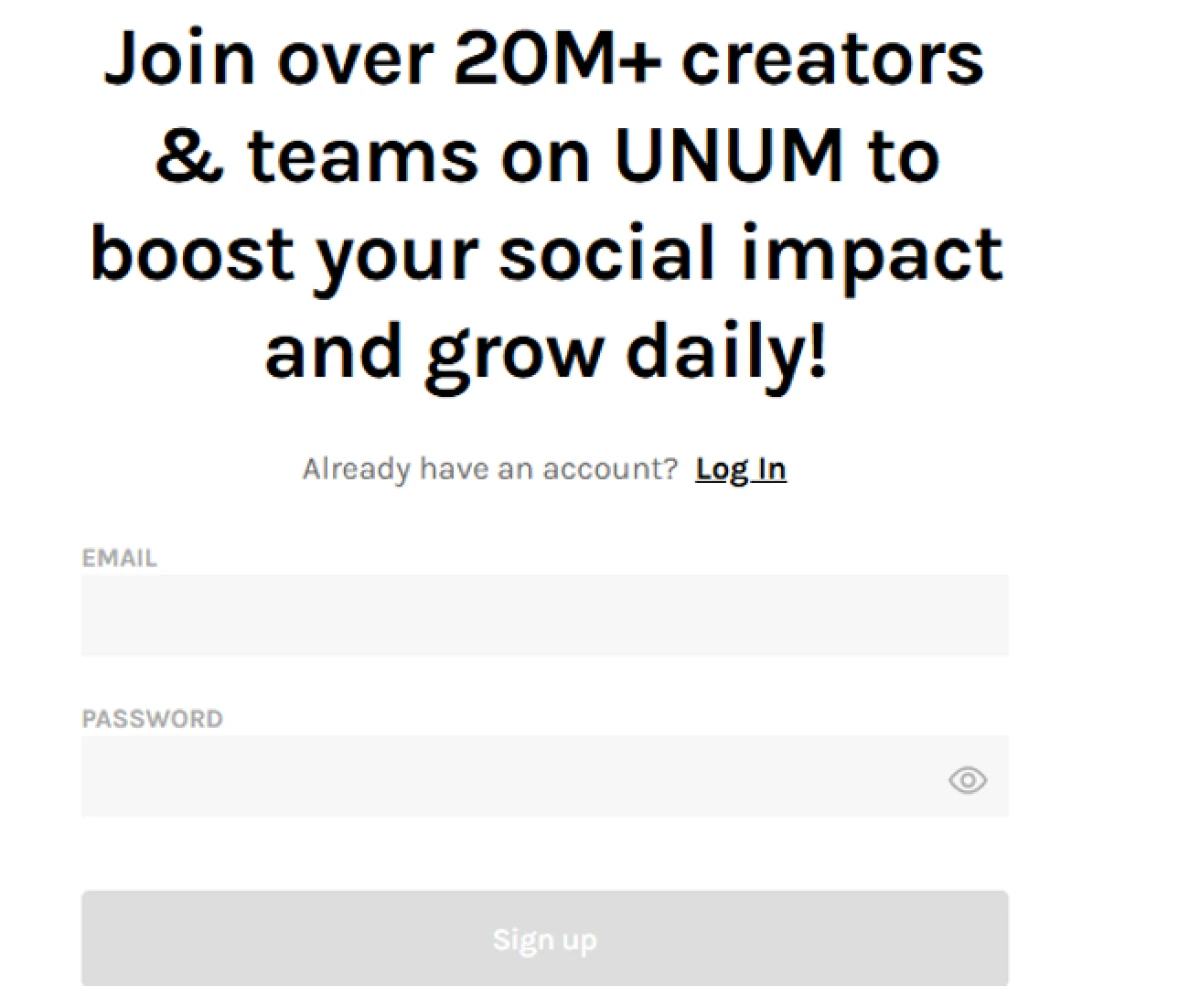
The sign-up panel. Email and password, with a social login alongside, under the obligatory 20-million-creators line.
The sign-up panel was refreshingly boring: an email field and a password field, with a social login sitting alongside if I preferred it. I entered my details and was through in well under a minute. No verification wall, no error. After the previous half hour, it felt like a door simply opening.
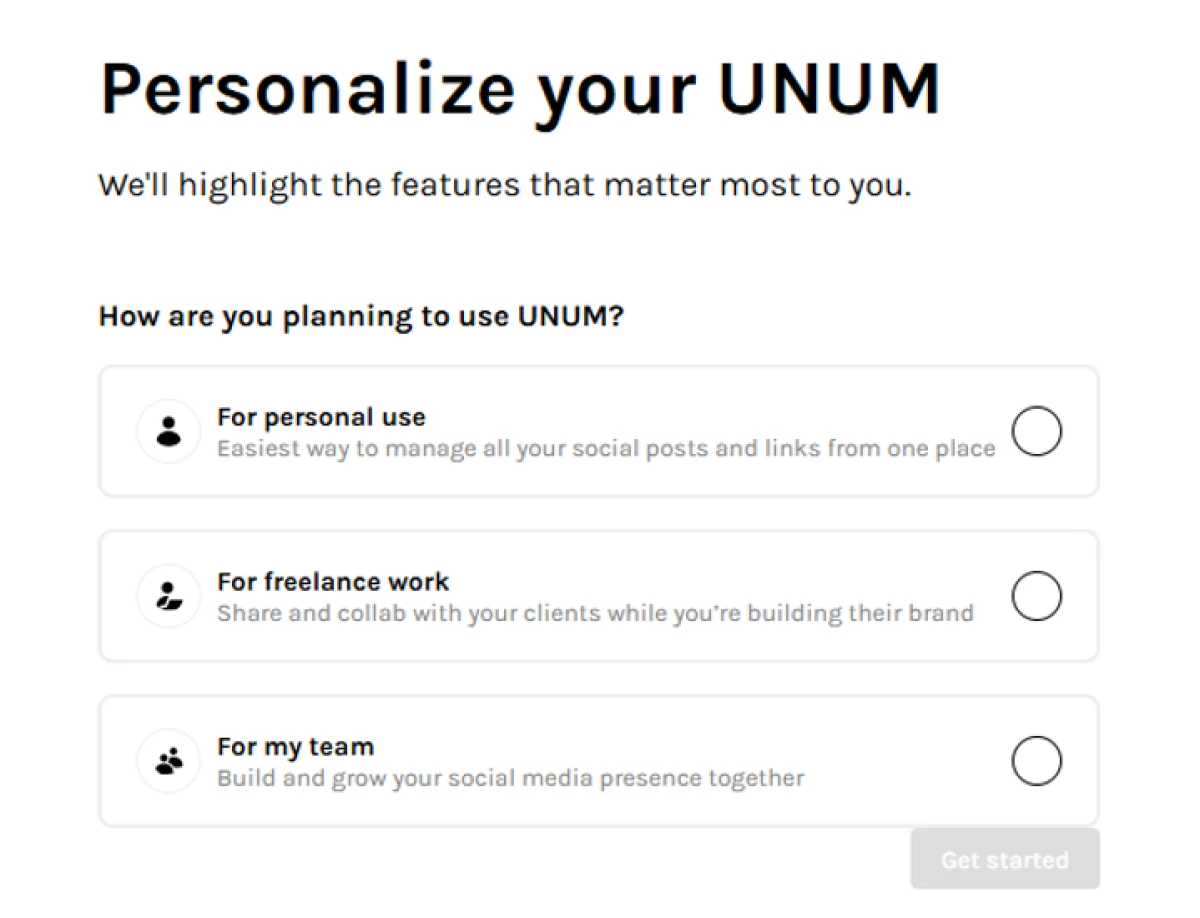
First onboarding step: UNUM asks how you plan to use it, and offers three tailored paths.
Onboarding opened with a single question: how did I plan to use UNUM? It laid out three options, scaling from a lone creator up to a full team, and the choice quietly shapes what the tool surfaces next. It is the kind of small touch that tells you a product has thought about more than one type of user rather than funnelling everyone down the same road. I picked the one that matched my work and moved on.
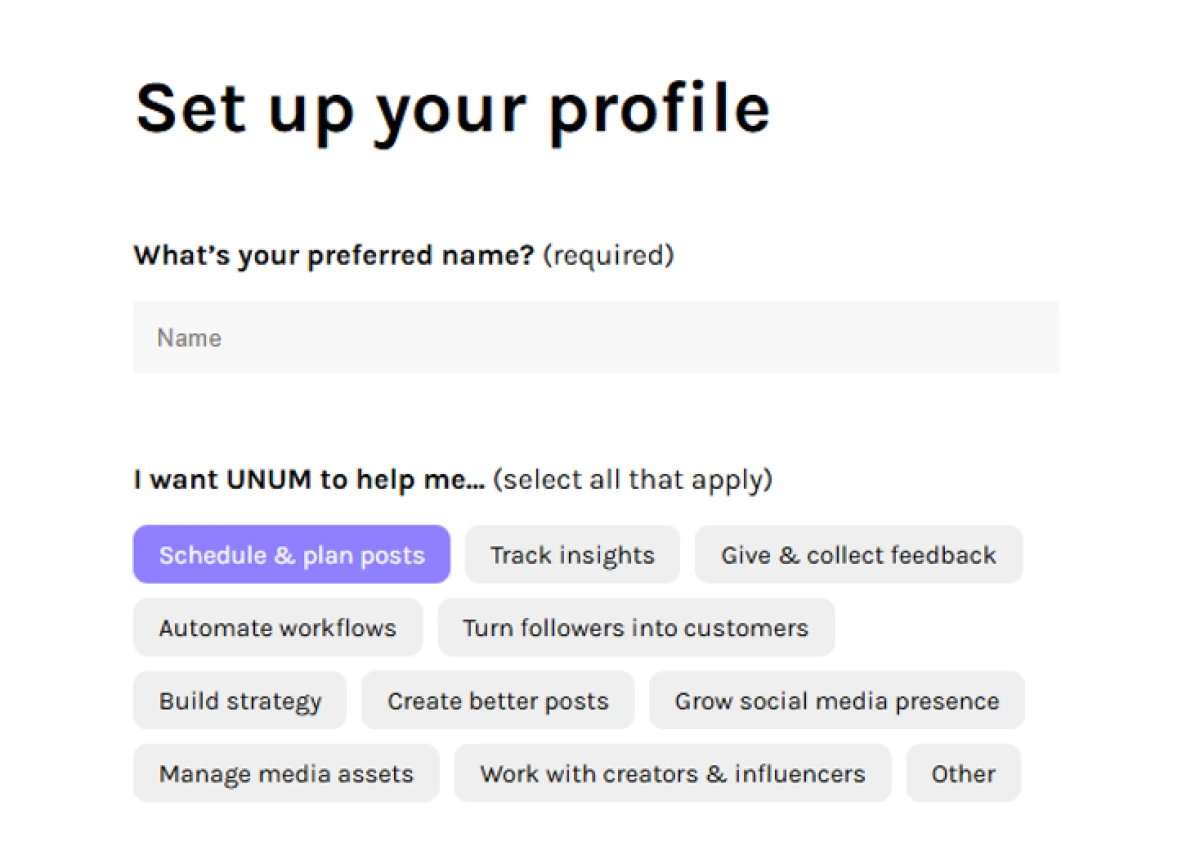
Setting up the profile. A name field, then a grid of goals to tap. I had “Schedule and plan posts” selected.
The next screen set up my profile. One required field for a name, then a grid of goals I could tap to tell UNUM why I was there, everything from scheduling and planning posts to turning followers into customers. I tapped scheduling and planning, the whole reason I had shown up, and carried on.
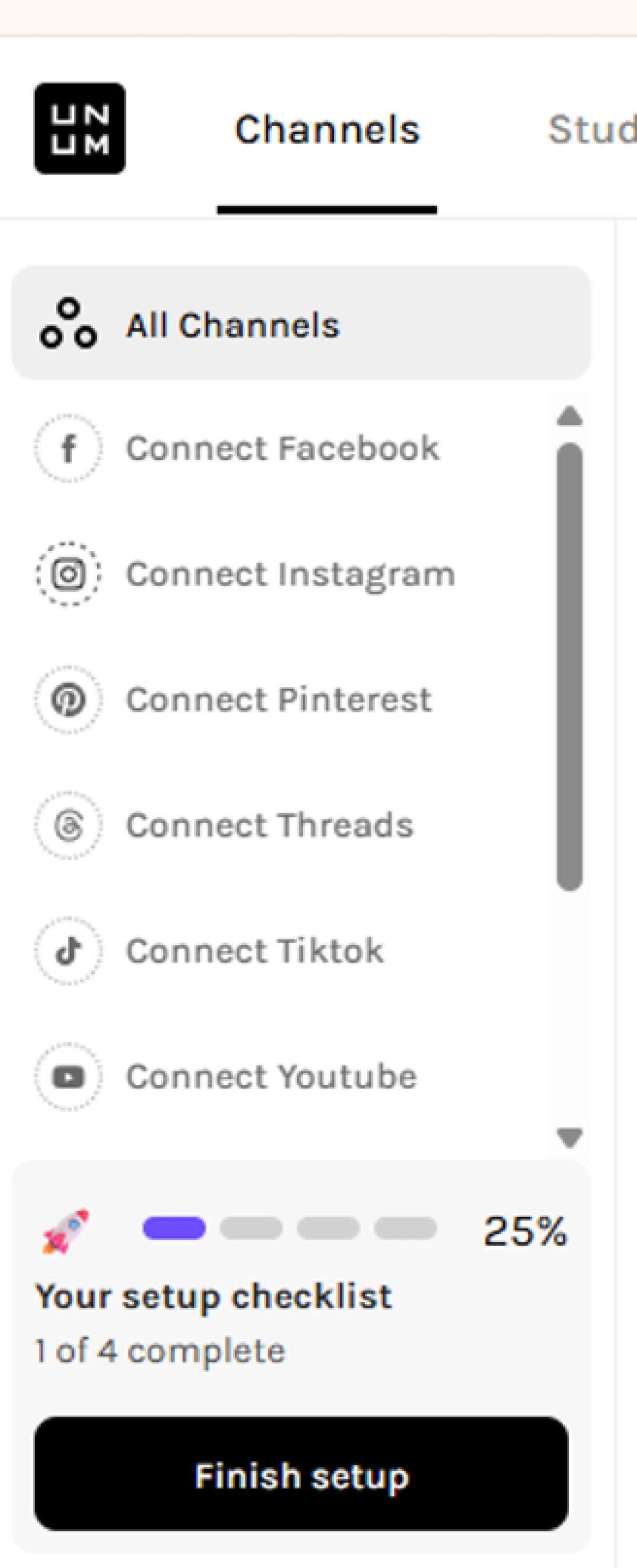
The Channels panel, with every platform ready to connect and a setup checklist tracking progress at 25 percent.
With the profile done, UNUM dropped me into the Channels panel. Down the side sat every network I could connect, Facebook, Instagram, Pinterest, Threads, TikTok, YouTube and more, with a small setup checklist in the corner showing me at 25 percent, one of four steps complete. I appreciated that the checklist was there at all. It meant I never had to guess what to do next, and the “Finish setup” button kept the momentum going instead of leaving me staring at an empty dashboard.
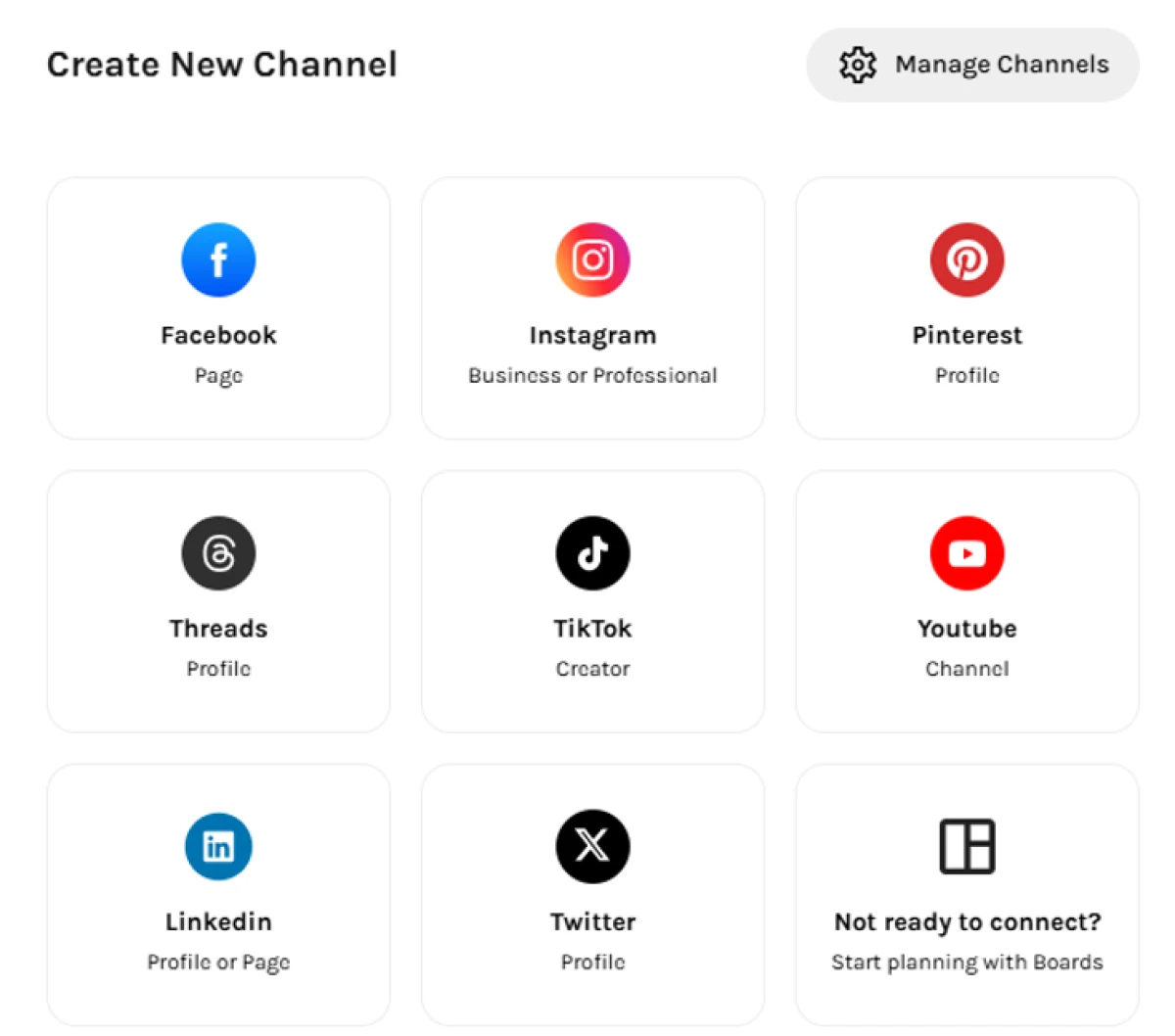
The Create New Channel screen. Eight platforms to add, plus a “Start planning with Boards” option for when you are not ready to connect anything.
Opening the channel setup showed the full menu, eight platforms laid out as cards, from Facebook and Instagram through to LinkedIn and Twitter, each labelled with the account type it expects. What caught my eye was the ninth tile tucked in the corner: “Not ready to connect? Start planning with Boards.” That one option is the thing that surprised me most about UNUM.
The surprise: planning before connecting
Most schedulers hold your planning hostage until you hand over account access. UNUM does not. The Boards feature let me spin up a dated board and start laying out a feed, uploading media from my device and sketching the grid with rows and notes, before I had connected anything at all. For someone evaluating a tool, or managing a client who has not shared logins yet, that is genuinely useful. I could sketch a week of posts, see how the grid would look, and only wire up the live accounts once I was satisfied the tool had earned it.
So where did that leave UNUM? I got in on the first try, had a workspace in minutes, and found a planning flow I would reach for again. The free tier is real and includes scheduling rather than dangling it behind an upgrade. The AI pitch is strong, though in fairness I did not push the caption generation hard enough to vouch for how good the writing holds up at scale, so I scored that signal honestly rather than generously.
It is not flawless. The one thing that nagged me came later, when I went to check pricing. UNUM’s plans are listed by features and user counts, but the pricing page never states how many social channels each tier actually includes. For a scheduler, where everything hinges on how many accounts you can run, that is an odd gap, and I had to go hunting rather than getting a straight answer. The marketing site has a few rough edges too, including a FAQ block that repeats the same questions without answering them, which made parts of it feel a touch unfinished. Neither is a dealbreaker. Both are the sort of thing you only notice once you are actually using the product, which is the entire point of actually using it.
3. Buffer
Buffer was the third sign-up I put through the test, and like UNUM it let me straight in. Its homepage pitches Buffer as a social media workspace that works with every platform you post to and plugs into the tools you already use. One email field, one green button, no card asked for. I was curious whether the inside matched the clean promise on the outside.
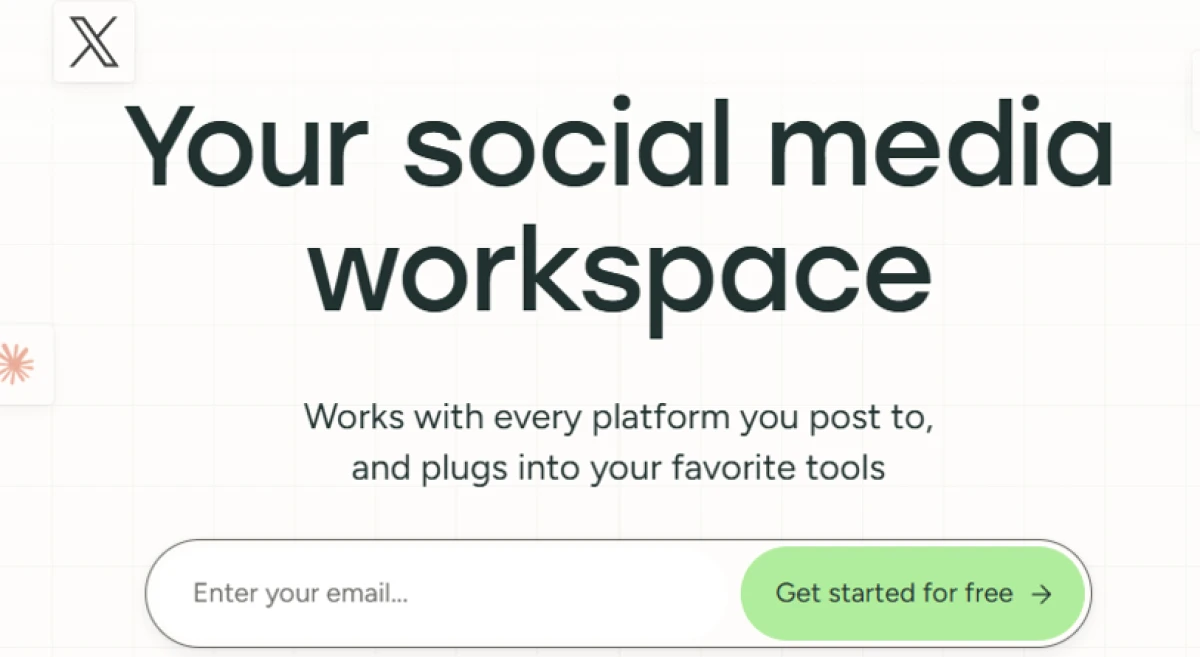
Buffer’s homepage. A plain promise, a social workspace that plugs into the tools you already use, and a single free sign-up.
Onboarding was lighter than UNUM’s. Rather than a multi-step setup, Buffer asked a single question, how would I describe myself, with choices running from a solo creator up to a marketing agency. I picked one and that was effectively it. Quick, though I did miss the guided checklist UNUM uses to point you at whatever comes next.
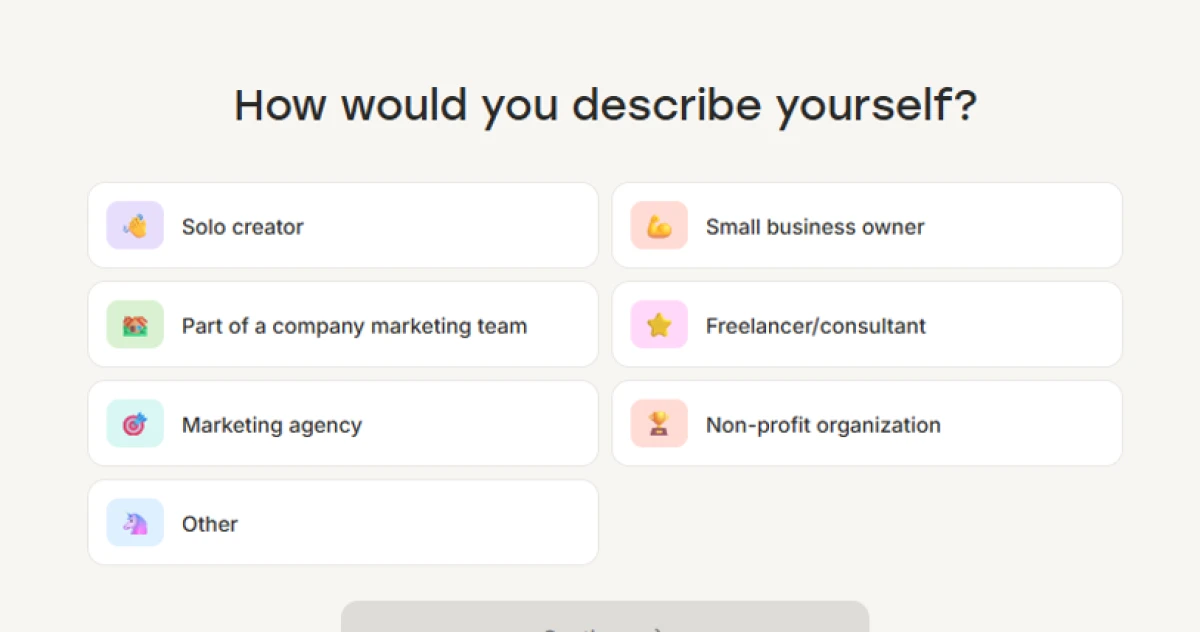
Buffer’s one onboarding question. Pick how you describe yourself, from solo creator up to agency, and you are in.
The dashboard was calm and did not pile everything on at once. It greeted me, laid out a few first steps, connect a channel and create a post, with a third card pointing developers at Buffer’s API, and showed me where to wire up networks down the side. A row of connected channels sat there already, Instagram and Threads among them, with more a single click away. Up top it tracked a posting streak and a comment score to nudge me toward a habit.
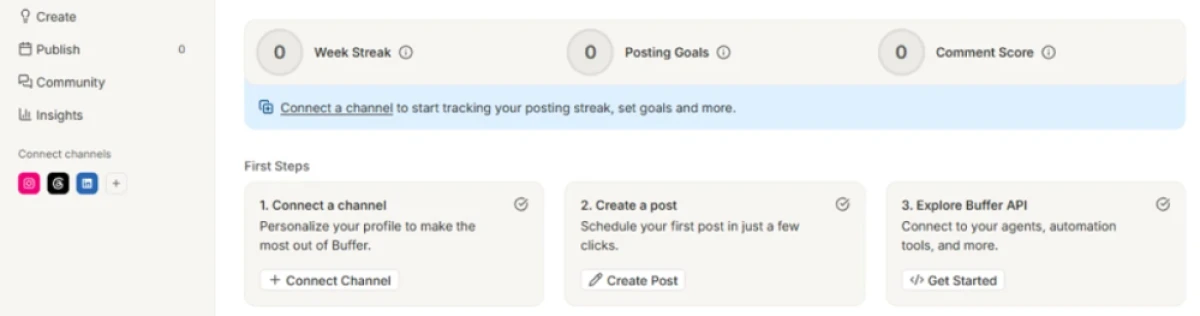
Inside Buffer. A calm dashboard with first-step cards, a channel row down the side, and streak and score nudges along the top.
So Buffer did what it says on the tin. The on-ramp was the gentlest of everything I tried, which is exactly its reputation. What surprised me was that third first-step card: a developer route into Buffer’s API, built for connecting your own agents and automation. For a tool so often filed under beginner-friendly, that is a forward-looking touch. My reservation is smaller and familiar. The home screen leans on a posting streak and a comment score to gamify the habit, which read as noise to me when all I wanted was a calendar, and I did not get far enough into Buffer’s AI assistant in one sitting to vouch for the writing. That is why Buffer scores a notch below UNUM on my card..
4. Later
Later built its name on visual planning, and it still handles Instagram and Pinterest better than almost anyone. If your feed is the product, the photographers and food brands whose grid has to look deliberate, its drag-and-drop calendar and visual preview are the draw. One thing worth flagging from my own poke around: Later has grown well beyond scheduling into influencer-campaign tooling, and that side does not let you wander in. The page I hit opened with a sales form, asking for a phone number and company details before any goal-setting could start.
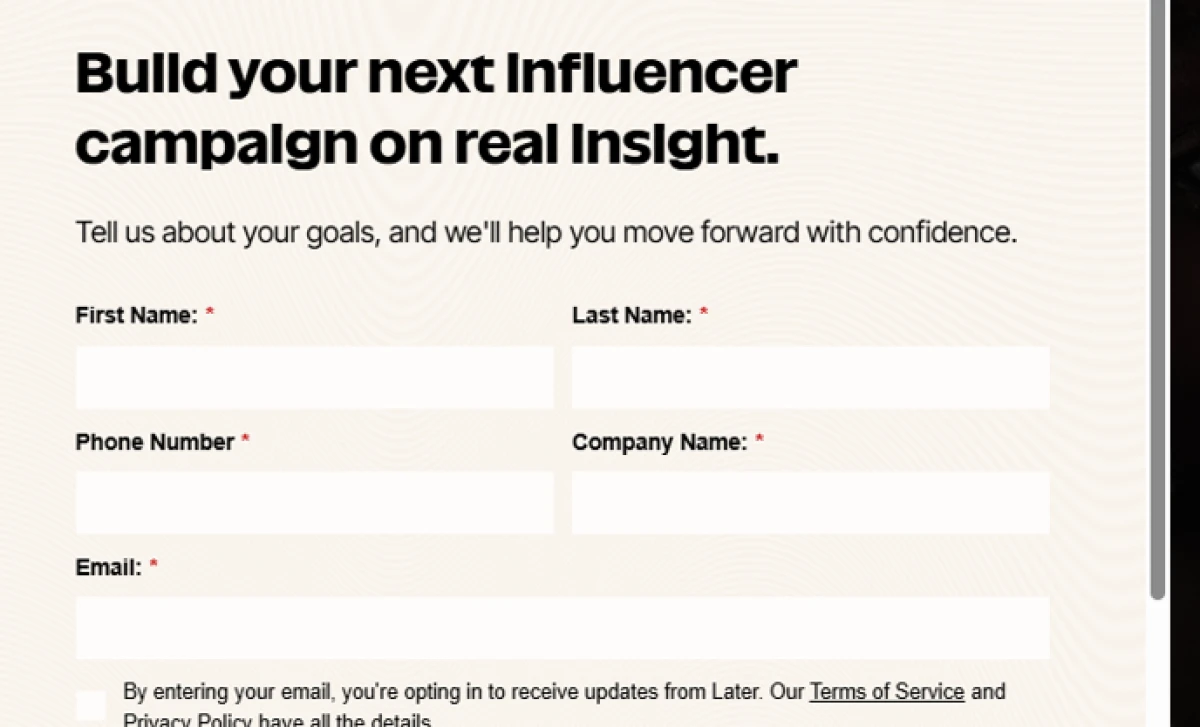
Later’s influencer-campaign side opens with a contact form, phone number and company included, rather than a self-serve start.
The scheduler itself still has a normal signup and a free plan, though a thin one these days, so most people will end up on a paid tier for real use.
5. Sprout Social
Sprout Social sits at the top of the market, built for larger teams and agencies that need deep social listening and reporting polished enough to put straight in front of a client. Its publishing side is where the AI shows up most usefully. The calendar pairs an AI Assist panel, which will spin several post options out of a single line of text or shift the tone, with an optimal-send-times readout that rates the best slots to post.
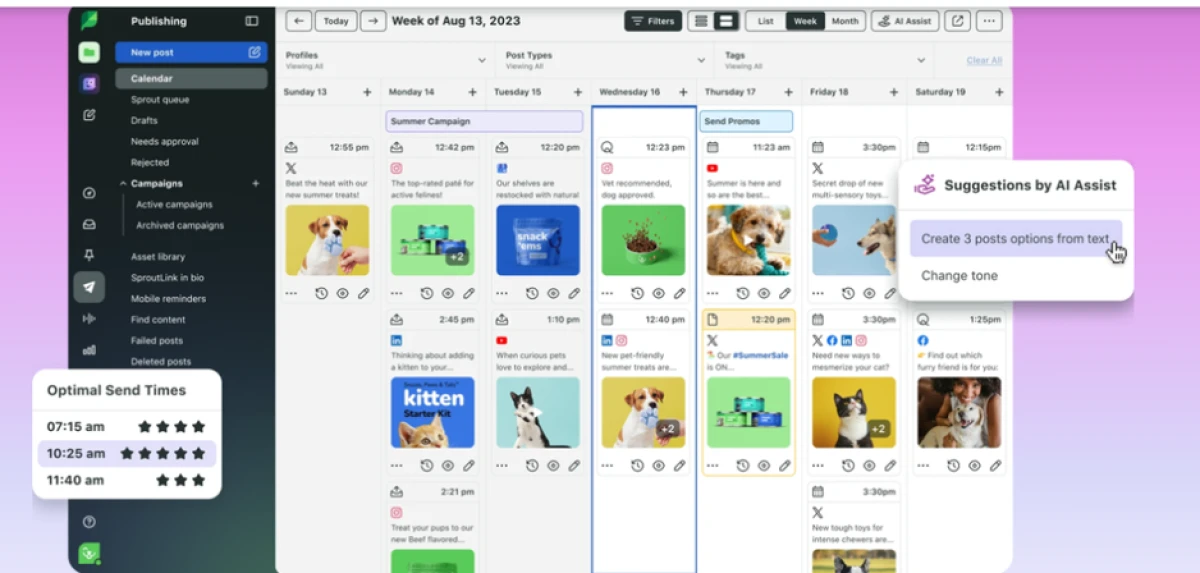
Sprout Social’s publishing calendar, with the AI Assist panel generating post options and an optimal-send-times rating down the left.
The AI analytics are genuinely ahead of the pack. The catch is the bill. Sprout starts at $199 a seat a month and climbs to $399 for the top tier, which makes it a business expense you justify with headcount and client retainers, not something a creator dabbles with.
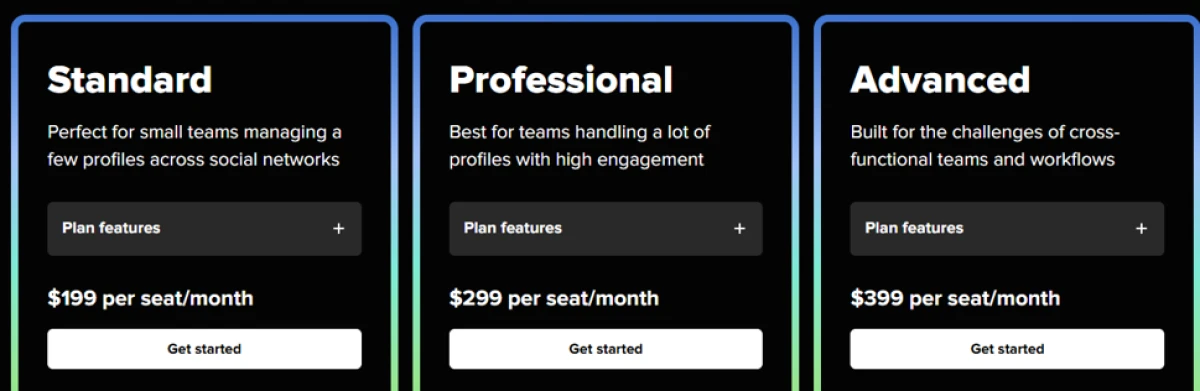
Sprout Social’s pricing, from $199 a seat a month at Standard up to $399 at Advanced. Billed per seat.
6. Hootsuite
Hootsuite is the veteran, and it shows in both the good and the bad. It does everything: bulk scheduling across a long list of networks, a unified inbox, team-grade analytics, approval workflows, the lot. It has been doing it long enough to be reliable. The cost is complexity and money. There is no free plan anymore, the entry tier sits around $99 a month per user, and the dashboard can feel like a cockpit. For a growing business with a real social budget it earns its keep. For one person it is overkill.
My hands-on scorecard
Here is how the two tools that let me in and set up actually scored. Blaze is absent because it never cleared the sign-up stage, and the roundup names above are not scored because I did not run full sign-ups on them. UNUM and Buffer are the two I got inside and set up, so they are the two on the card.
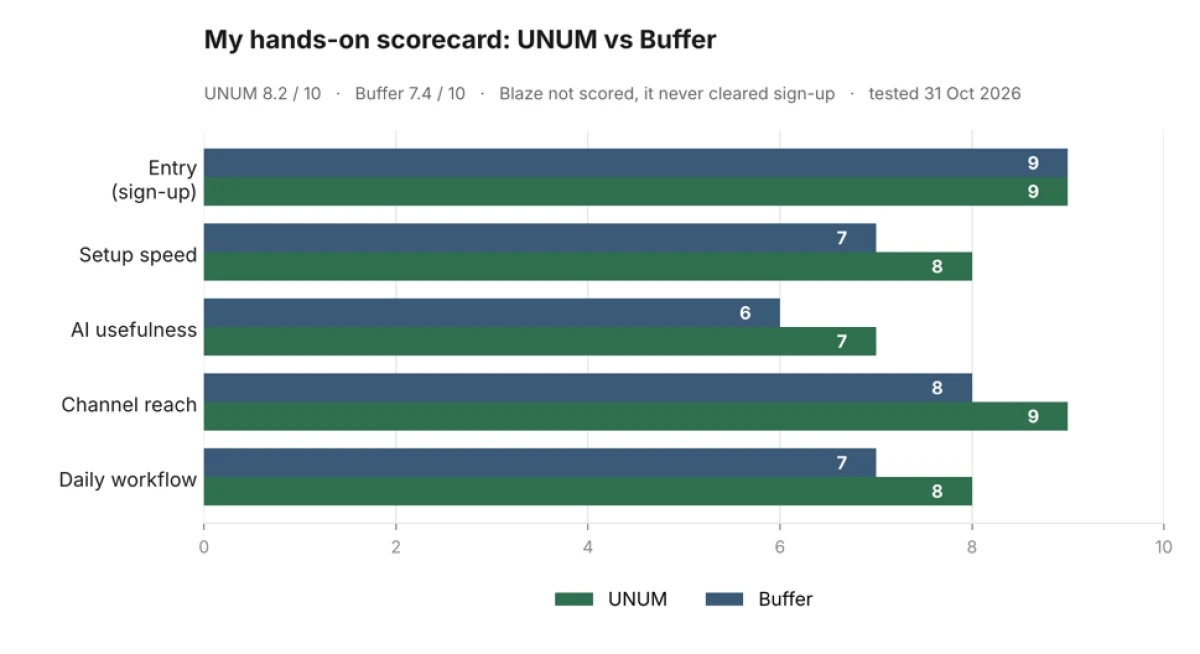
My five-signal scorecard, scored on 31 October 2026. Blaze is absent because it never cleared sign-up, so I could not fairly rate it.
UNUM came out at 8.2 and Buffer at 7.4. They tied on the thing that counts first, getting in: both sign-ups were quick and neither asked for a card. UNUM pulled ahead on reach and on how far its planning took me, since I got all the way to a scheduled feed in it. Buffer is the gentler on-ramp and the simpler surface, and its scores on AI and daily workflow are more cautious on purpose, because I did not push its assistant or live as long in its calendar as I did in UNUM’s. Neither number is a trophy. They are a record of what I saw when I actually used each one.
How to pick the right one for you?
The right scheduler depends less on which one wins a feature war and more on who you are and what you are prepared to spend. Here is how I would steer you, based on everything above.
Being a solo creator or just want to start free today: UNUM is where I would send you. The free tier actually schedules, the jump to $7 for Pro is painless, and Boards let you plan a feed before you commit to anything. Buffer is just as easy to get into and even simpler on the surface, so pick it if a stripped-back dashboard appeals more than UNUM’s planning depth.
When your brand lives on how the feed looks: Later. Nothing else makes a visual grid this easy to plan, and for Instagram-led or Pinterest-led accounts that is the whole game.
Expanding workforce or scaling unitt: Hootsuite covers the widest ground without the top-tier price, and it scales with headcount. Step up to Sprout Social once deep listening and multi-person approvals become non-negotiable.
If an AI-first workflow is the whole point: Blaze is built around that promise, and its content makes the case well. I would just test the sign-up before you get attached, because mine never worked.
Conclusion
Finding the best AI social media scheduler is not just about AI features or the number of platforms supported. What matters is how easily the tool fits into your daily workflow and whether it saves you time.
After testing the signup and setup experience, UNUM emerged as my preferred option, scoring 8.2 out of 10. Its simple onboarding, free scheduling features and ability to plan content without connecting social accounts made it particularly useful. Buffer followed with 7.4 out of 10, offering a cleaner and simpler experience for beginners. Blaze AI remained unscored because repeated signup errors prevented me from accessing the platform.
For creators and small businesses, UNUM and Buffer are both worth considering. Larger teams may find more value in Hootsuite or Sprout Social, while Later remains an option for visual content planning.
My recommendation is to start with a free plan, connect one account and test a full week of scheduling before upgrading. The best scheduler is ultimately the one that reduces your workload without adding unnecessary complexity.

Ethan Mitchell is a technology writer at TechJox, specializing in artificial intelligence, cybersecurity, SaaS platforms, software applications, and digital automation. His writing covers AI tools, data privacy, emerging technologies, and software reviews, with a focus on practical insights, clear explanations, and helping readers make informed technology decisions.
Discussion (0)
You need a free TechJox account to join the discussion and report scams you spot.