A few years ago, taking notes in a meeting meant furiously typing while half-listening, then squinting at a wall of fragments afterward trying to remember what you actually agreed to. That whole ritual is basically dead now. In 2026, a decent AI note taker will sit quietly on your call, write a clean summary, pull out the action items, and let you ask it questions later like it was a colleague who paid closer attention than you did.
The catch is that "AI note taker" has turned into a crowded category, and the tools inside it are not interchangeable. Some are built for a single founder scribbling through back-to-back calls. Others are built for a sales floor where a manager wants call scores and deal signals by Friday. Pick the wrong one and you either overpay for machinery you never touch, or you outgrow a free plan the moment a second person joins.
So I went through the seven tools people are genuinely comparing this year. For each one you get the standout features in plain bullets, a quick pros and cons table, the exact pricing as it stands right now, the rating real users have given it, and a straight answer on who it is best for. No filler, no two tools described in the same recycled sentence. Let us get into it.
The quick map before we dig in
If you only have thirty seconds, this is the shape of the market. The further right a tool sits, the more you get for free. The higher it sits, the more it is built for teams rather than solo use. Bigger bubbles roughly mean more user reviews out in the wild, which is a decent proxy for how battle-tested a tool is.
All seven, side by side
Here is the whole lineup in one view. The sections after this go deep on each tool, but keep this handy as your cheat sheet.
| Tool | Starting paid price | Free plan | G2 rating | Best for |
|---|---|---|---|---|
| Fathom | $15.99 / user / mo | Unlimited recordings | 5.0 (7,000+) | Solo users who want the most generous free tier |
| Fireflies.ai | $10 / user / mo | Limited AI credits | 4.7 (735) | Teams that want CRM sync and a searchable archive |
| tl;dv | $18 / user / mo | Basic recording | 4.7 (486) | Sales teams living in multiple languages |
| Granola | $14 / user / mo | Core notes, bot-free | 4.7 (34) | Founders and solo operators who still type notes |
| Avoma | $19 / user / mo | Recording + transcript | 4.6 (1,360) | Revenue teams that need coaching and deal data |
| Otter.ai | $8.33 / user / mo | 300 min / month | 4.4 (460+) | Live captions, interviews, and quick transcripts |
| Notion AI | $10 / user / mo add-on | Trial responses only | 4.7 (5,900+) | Teams whose notes should live inside Notion |
Table 1. Pricing reflects the cheapest paid tier on annual billing. Ratings are G2 averages with review counts in brackets.
1. Fathom
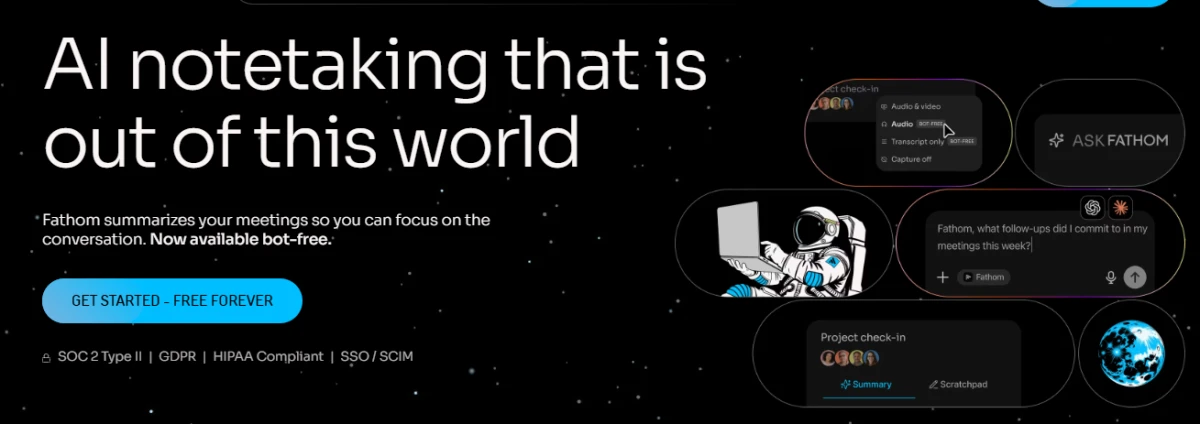
If there is one tool that keeps showing up in "why am I even paying for this" conversations, it is Fathom. It records, transcribes, and summarizes your Zoom, Google Meet, and Microsoft Teams calls, and the free plan does not cap the number of meetings you can capture. That alone pulls a huge number of solo users in before they ever think about a subscription.
| Best for | Individuals and small teams who want a seriously capable free plan before paying anything |
| Pricing | Free; Premium $15.99/user/mo; Business $29.99/user/mo; Team plan from $360/yr for 2 seats |
| User rating | 5.0 on G2 across 7,000+ reviews; 5.0 on Capterra across 800+ reviews |
| Works on | Zoom, Google Meet, Microsoft Teams |
Features worth knowing
- Unlimited free recordings. You can record and transcribe as many meetings as you like on the free plan, which is rare in this category.
- Ask Fathom. A conversational assistant that answers questions about any past call, so you can ask what a client objected to instead of scrubbing a transcript.
- Action items and follow-up drafts. It pulls out next steps automatically and can draft the follow-up email for you on paid tiers.
- AI call scoring. Coaching-style scorecards, including a MEDDIC view, which is handy for sales reviews.
- Bot-free capture (rolling out). As of late August 2026, bot-free video capture went live for Zoom on Mac, so nothing visibly joins the call.
- CRM and tool sync. Pushes notes and highlights into the tools your team already uses.
| What is great about it | Where it falls short |
|---|---|
The most generous free plan of any tool here, hands down Top-rated on both G2 and Capterra by a wide margin Summaries are clean and reliably accurate Fast to set up and stays out of your way | Advanced AI summaries on the free plan are capped at the first 5 calls a month Per-user pricing can feel steep once a whole team is on paid tiers Bot-free and some newer features are still Mac or Zoom first Freelancers juggling many client accounts report friction |
Verdict: Fathom is the default recommendation for anyone starting out. If you are a solo operator or a small team, there is almost no reason not to try it first, because the free plan carries you a long way before the wallet comes out.
2. Fireflies.ai
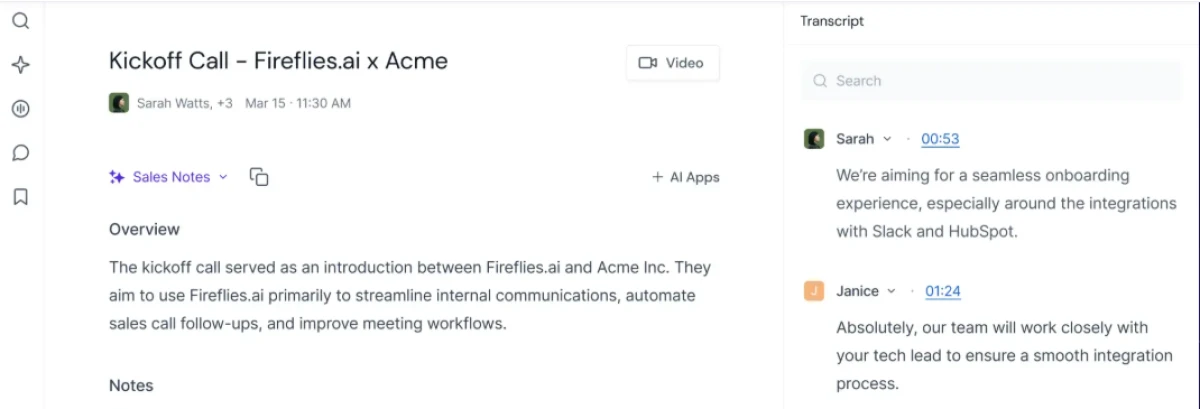
Fireflies has been around long enough to feel like the sensible corporate pick, and that reputation is earned. Where Fathom wins on free generosity, Fireflies wins when a whole team needs its meetings searchable, synced to the CRM, and owned by IT rather than scattered across individual accounts. Its assistant, AskFred, lets you query across your entire meeting history rather than one call at a time.
| Best for | Teams that want a searchable meeting archive and tidy CRM sync, with rollout managed centrally |
| Pricing | Free; Pro $10/user/mo; Business $19/user/mo; Enterprise $39/user/mo (all billed annually) |
| User rating | 4.7 on G2 across 735 reviews; 4.9 on Capterra across 550+ reviews |
| Watch out for | AI credits run on a separate pool; heavy AI use can trigger extra charges |
Features worth knowing
- AskFred assistant. Ask questions across all your recorded meetings, not just the one in front of you.
- Conversation intelligence. Analytics on talk time, sentiment, and topic tracking, which teams use to spot patterns across many calls.
- CRM and integrations. Syncs with Salesforce, HubSpot, and a long list of other tools, available from the Business tier up.
- Custom vocabulary. Teach it your product names and jargon so transcripts stop mangling them.
- Enterprise security. SSO, SCIM, and HIPAA compliance sit on the Enterprise plan for regulated teams.
- Wide meeting coverage. Works across the major video platforms, so coverage rarely becomes the bottleneck.
| What is great about it | Where it falls short |
|---|---|
Strong CRM sync and integrations for revenue teams Searchable archive across every meeting you have recorded Scales cleanly from a free pilot to an enterprise rollout Pro tier is cheap at $10 per seat to get teams started | AI credits are a separate pool, so costs can surprise heavy users CRM integrations are gated behind the Business plan and up Free plan holds back AI summaries until you pay Interface can feel cluttered compared with lighter tools |
Verdict: Reach for Fireflies when more than a couple of people need to share, search, and route meeting data. It is the tool IT tends to bless, and the Pro tier is an easy entry point before committing to Business.
3. tl;dv
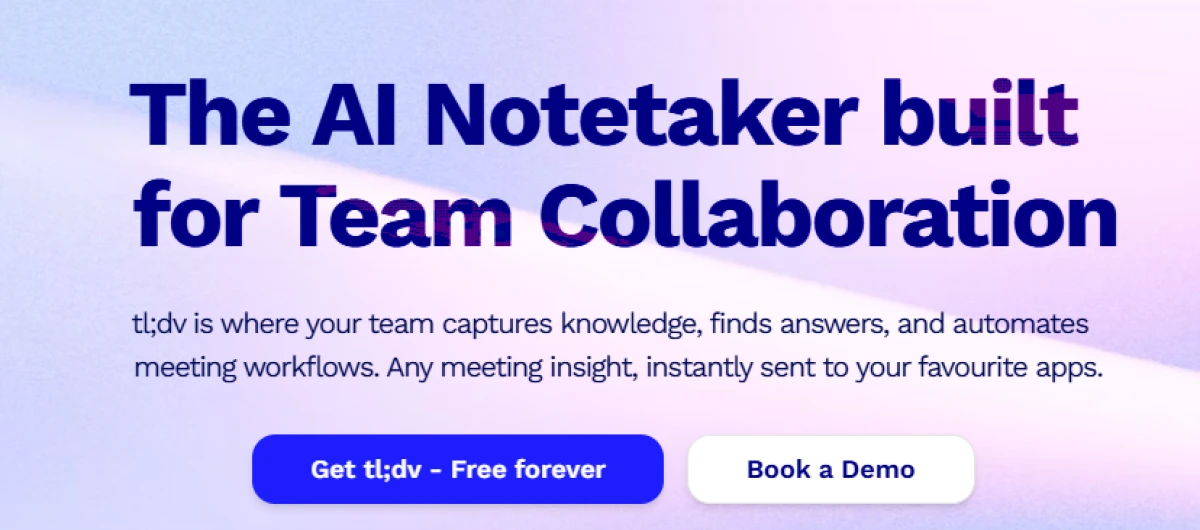
tl;dv built its name on recording and clipping meetings, and in 2026 it leans hard into sales use cases. Its real differentiator is language reach and the way it surfaces moments like objections or pricing questions across calls. If your team sells across borders and needs transcripts that hold up in many languages, this is where tl;dv separates itself from the pack.
| Best for | Sales and customer teams working across many languages who want clip-and-share moments |
| Pricing | Free; Pro $18-$29/user/mo; Business raised to $98/user/mo in April 2026; Enterprise custom |
| User rating | 4.7 on G2 across roughly 500 reviews |
| Note | The top Business tier jumped from $59 to $98 per seat in April 2026, a 66% increase |
Features worth knowing
Deep multilingual transcription. Broad language coverage is the headline reason teams pick it over rivals.
Moment clipping. Cut and share specific highlights from a call, which is great for passing a single objection to the wider team.
Ask tl;dv AI. Unlimited AI prompts on paid plans to interrogate your recordings.
Sales signal detection. Surfaces when objections, competitors, or pricing came up across conversations.
CRM and workflow integrations. Routes meeting data into the tools your pipeline already runs on.
| What is great about it | Where it falls short |
|---|---|
Best-in-class language support for international teams Clip-and-share makes it easy to circulate key moments Generous AI prompting on paid plans Strong fit for sales workflows specifically | Business tier is now the priciest here at $98 per seat That April 2026 price hike stung existing customers Free plan note quality draws criticism Overkill if you just need simple meeting notes |
Verdict: tl;dv earns its place if language coverage and sales moments matter to you. If they do not, the steep Business pricing makes it hard to justify over lighter options.
4. Granola
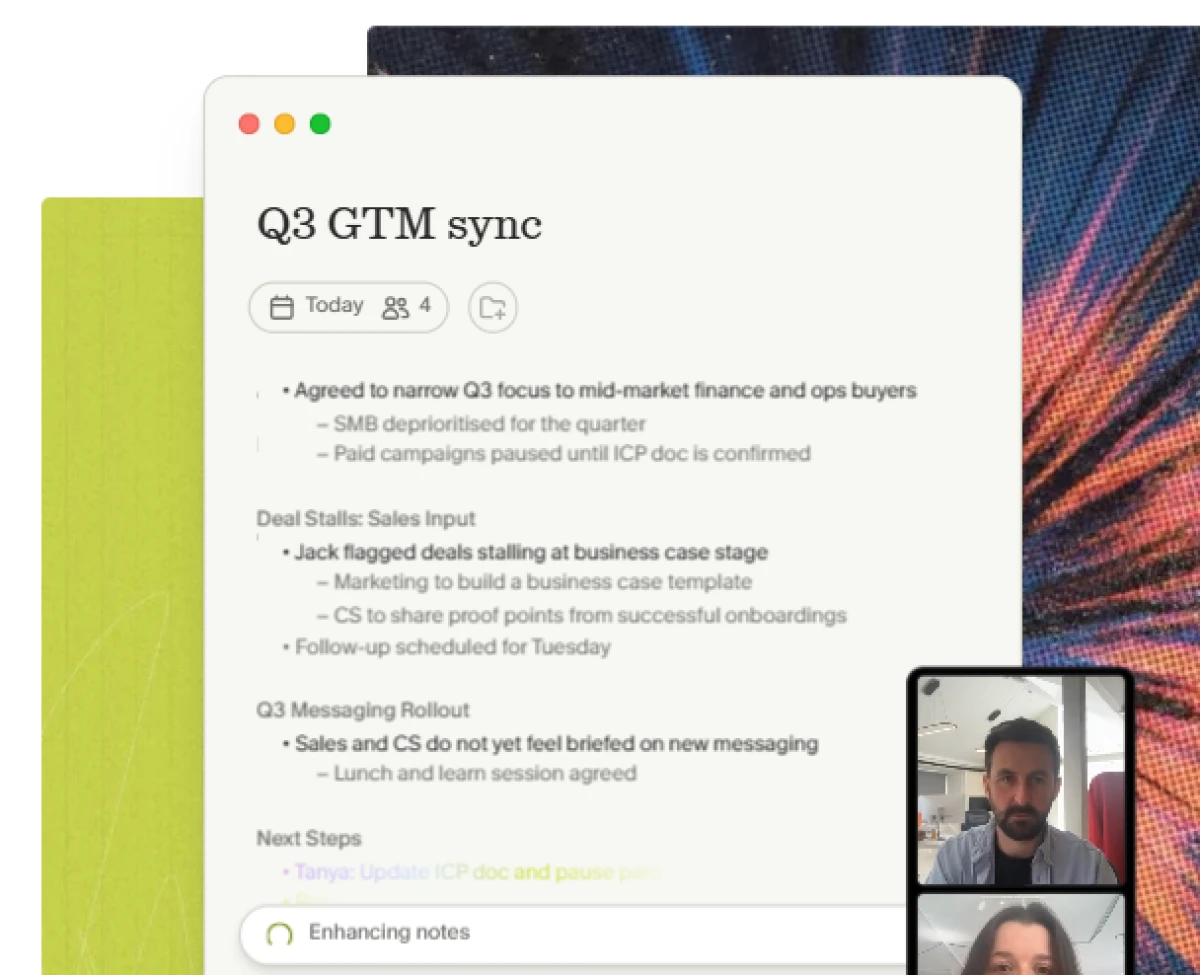
Granola takes a different philosophy from everything else on this list. Instead of a bot barging into your call, it listens to your device audio in the background and blends what it hears with the rough notes you jot yourself. The result reads like notes you wrote, just cleaner and more complete. For founders and investors who already take decent notes and just want them tidied, it clicks in a way bot-based tools never quite do.
| Best for | Founders, investors, and solo operators who take their own notes and want them quietly enhanced |
| Pricing | Free Basic (core features); Business $14/user/mo; Enterprise from $35/user/mo |
| User rating | 4.7 on G2 across 30+ reviews; strong word of mouth among founders |
| Backing | Raised a $125M Series C at a $1.5B valuation in March 2026 |
Features worth knowing
- Bot-free capture. Nothing visibly joins the call; it transcribes device audio in the background.
- Notes that sound like you. It merges your typed notes with the transcript, so the output reads in your own voice.
- Agentic chat across months of notes. Ask questions that span your entire history, with citations back to the source meetings.
- Pre-meeting briefs. Pulls context from past notes and optional sources to prep you before a call.
- API and MCP access. Business users can pull note data via REST API or connect notes to AI tools like Claude and ChatGPT through hosted MCP.
- Expanding platform support. Mac, Windows, and iOS are live, with an Apple Watch app and 32-language support added through 2026.
| What is great about it | Where it falls short |
|---|---|
Notes genuinely read like you wrote them Bot-free approach feels natural and unobtrusive Agentic chat across your whole note history is excellent Clean, focused interface with zero ceremony | You must start recording manually before each call Team features are thin compared with Fireflies or Avoma No video recording at all Windows support still trails the Mac experience |
Verdict: Granola is a joy for the right person. If you live in back-to-back meetings and still like having a hand in your own notes, it is the most pleasant tool here. Just know it is built for individuals first and teams second.
5. Avoma
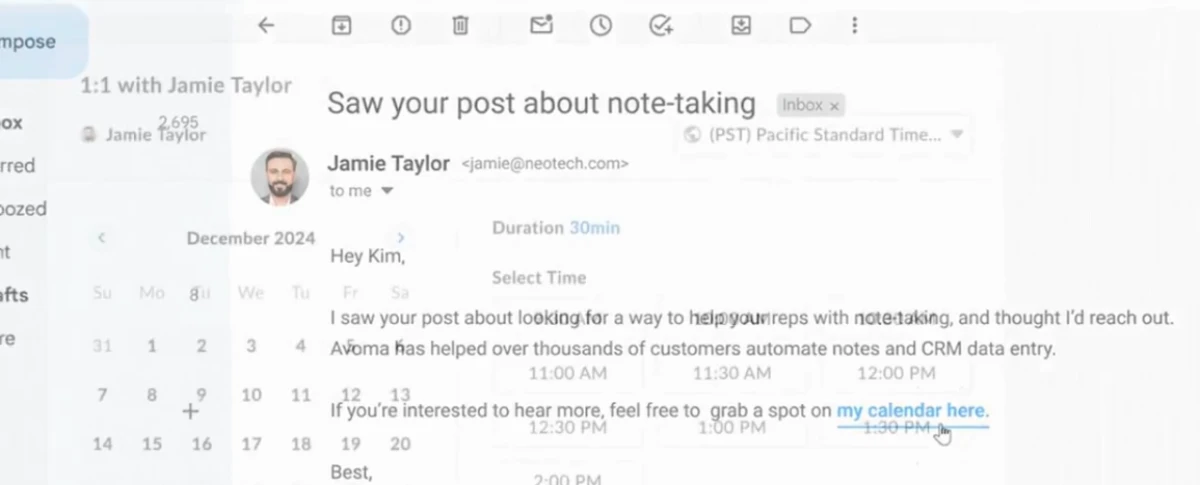
Avoma is the most business-heavy tool on this list, and it does not pretend otherwise. It pairs a competent meeting assistant with conversation intelligence, scheduling, and CRM sync, then sells deeper coaching and revenue features as add-on modules. For a sales or customer success team that wants call scoring, deal signals, and methodology scorecards in one place, Avoma does a lot that the lighter tools simply do not attempt.
| Best for | Revenue teams that need coaching, call scoring, and deal intelligence alongside their notes |
| Pricing | Free; Startup from $19/user/mo (annual); Plus and Business roughly $49-$79/user/mo; Enterprise custom |
| User rating | 4.6 on G2 across roughly 1,360 reviews, with 75% five-star |
| Structure | Modular: the base plan covers meetings; coaching and revenue features are paid add-ons |
Features worth knowing
- AI meeting notes and transcription. Automatic recording and summaries form the base layer of every plan.
- Conversation intelligence. Objection and competitor detection sit in the ordinary plans rather than behind a separate module.
- Coaching and call scoring. Scorecards including MEDDIC and SPICED, plus a real-time answer assistant, live in the conversation intelligence add-on.
- Scheduling built in. It handles meeting scheduling too, so it can replace a separate calendar tool.
- Ask Avoma. Surfaces context from past conversations, including web search with citations as of early 2026.
- Enterprise compliance. SOC 2 Type II, plus HIPAA and SSO on the Enterprise tier.
| What is great about it | Where it falls short |
|---|---|
A genuine revenue stack, not just a note taker Transparent public pricing across tiers, rare in this space Objection and competitor signals come standard Strong fit for coaching-focused sales managers | Sales features you likely want require paid add-ons on top Recording bot reliability is the most common complaint Clear overkill for anyone who just needs clean notes Still a smaller player than enterprise giants at scale |
Verdict: Avoma is the pick when meetings are a revenue function, not an admin chore. Buy it for the coaching and deal intelligence. If you only want a summary in your inbox, you are paying for an engine you will never rev.
6. Otter.ai
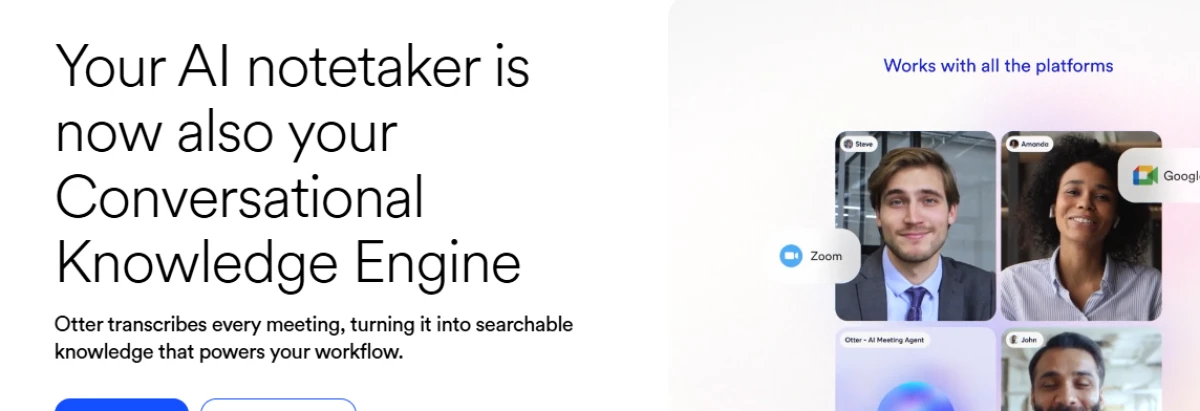
Otter is the tool most people have heard of, and for good reason. It was one of the first to make live, real-time transcription feel genuinely useful, and that is still where it shines. For interviews, lectures, and meetings where you want captions scrolling as people speak, Otter remains a comfortable default. In 2026 it has layered an AI chat and meeting intelligence platform on top of that transcription core.
| Best for | Live captions, interviews, lectures, and anyone who wants real-time transcription first |
| Pricing | Free Basic (300 min/mo); Pro $8.33-$16.99/user/mo; Business $19.99-$30/user/mo; Enterprise custom |
| User rating | 4.4 on G2 and Capterra; 3.8 on Trustpilot, which is worth flagging honestly |
| Heads up | Transcription language support is mainly English, French, and Spanish |
Features worth knowing
- Real-time transcription. High-accuracy live captions during meetings, interviews, and lectures, which is Otter's enduring strength.
- OtterPilot. An automated meeting agent that joins calls and captures notes without you lifting a finger.
- Otter AI Chat. Query your meeting history, draft emails, and collaborate asynchronously with teammates.
- Slide capture. Automatically grabs images of slides shared during a virtual meeting and attaches them to the notes.
- CRM integration. Connects to Salesforce and HubSpot from the Pro tier up, subject to plan limits.
- Broad device coverage. Web, iOS, Android, and browser extensions keep it available wherever you work.
| What is great about it | Where it falls short |
|---|---|
Best live, real-time transcription experience here The cheapest individual paid tier at $8.33 per seat Familiar, polished, and easy for newcomers Slide capture is a genuinely useful touch | Struggles when several people share one room microphone Transcription languages are limited to three Free plan caps you at 300 minutes a month Lower Trustpilot score and occasional unexpected auto-joins |
Verdict: Otter is still the one to beat for live transcription and interviews. If that is your core use, it is both capable and cheap. For heavy team meeting intelligence, newer rivals have pulled ahead.
7. Notion AI
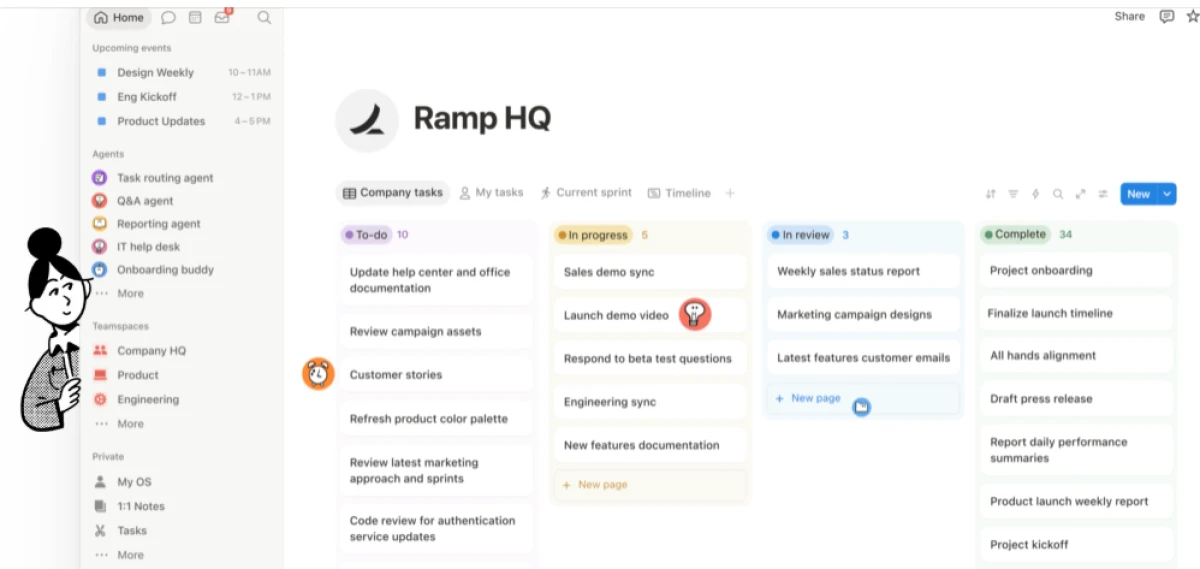
The last pick is the odd one out, and that is the point. Notion AI is not a standalone bot that joins calls; it is the AI layer inside Notion, the workspace many teams already run on. If your notes, docs, wikis, and projects all live in Notion, then having its AI meeting notes and transcription built into the same place removes the copy-paste shuffle entirely. Your summary lands next to the project it belongs to, not in yet another app.
| Best for | Teams already living in Notion who want meeting notes to sit beside their docs and projects |
| Pricing | $10/user/mo AI add-on (bundled into Business and Enterprise plans at higher tiers) |
| User rating | 4.7 on G2 across 5,900+ reviews for Notion overall |
| Trade-off | It is a workspace with AI, not a dedicated meeting bot, so call capture is less specialized |
Features worth knowing
- AI meeting notes in-app. Capture and summarize meetings directly inside the workspace where the notes will live.
- Ask across your workspace. Query not just one meeting but every doc, wiki, and page connected to it.
- Writing assistance everywhere. The same AI drafts, rewrites, and summarizes any page, so notes flow straight into deliverables.
- Zero context switching. Summaries and action items sit beside the project they belong to, not in a separate tool.
- Connected search. Pulls answers from across your connected tools, not only from meetings.
- Templates and databases. Route meeting outcomes straight into trackers and databases you already maintain.
| What is great about it | Where it falls short |
|---|---|
Notes live beside your docs, wikis, and projects Eliminates the copy-paste shuffle between apps One AI assistant across your whole workspace Huge, well-reviewed platform with deep adoption | Not a dedicated meeting bot, so call capture is less specialized Only makes sense if your team already runs on Notion Full AI value is gated behind the paid add-on Dedicated note takers beat it on pure transcription depth |
Verdict: If Notion is already your home base, its AI is the path of least resistance, because the notes never leave the room where the work happens. If you need the sharpest possible transcription, pair it with a dedicated tool instead.
How they compare on what users actually think
Ratings are not everything, but they are a useful gut check, because they aggregate thousands of people who used the tool on real calls rather than a demo. Fathom sits at the top with a near-perfect score across a very large review base, which is impressive at that volume. The rest cluster tightly, which tells you most of these tools are genuinely good and the right choice comes down to fit rather than quality.
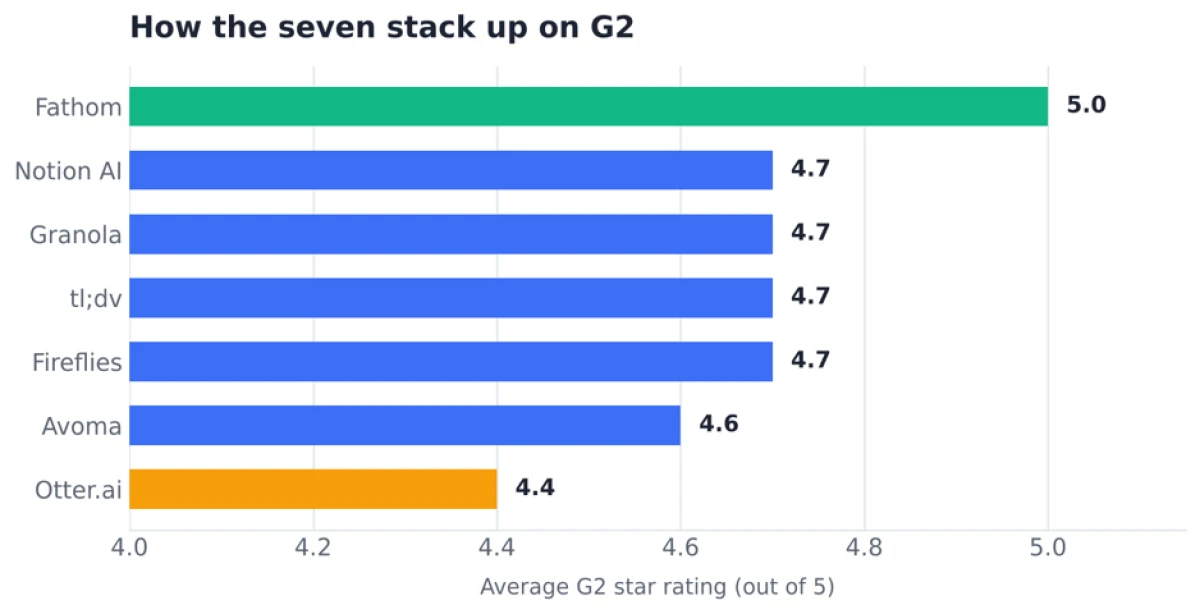
Figure. Average G2 star ratings. Most tools cluster at 4.6 to 4.7, with Fathom leading and Otter trailing slightly.
So which one should you actually pick?
Here is the short version, sorted by who you are rather than by score:
- A solo user or tiny team on a budget. Start with Fathom. The free plan is unmatched and you may never need to pay.
- Running a team that needs a shared, searchable archive. Fireflies is the safe, scalable choice with strong CRM sync.
- You sell across languages and borders. tl;dv earns the premium for its multilingual reach and sales moments.
- Meetings are a revenue engine for you. Avoma gives you coaching and deal intelligence the others skip.
- Your whole world already lives in Notion. Notion AI keeps your notes exactly where the rest of your work is.
One last honest note. Pricing and free-tier terms in this category move constantly, and several tools here changed their plans partway through 2026. Always confirm the current numbers on the vendor's own pricing page before you commit budget. Treat this guide as your shortlist and your starting map, then test one or two finalists on your own real meetings. The best AI note taker is simply the one whose notes you actually open afterward.

With experience writing 500+ pieces of content across different formats, I focus on making technology and cybersecurity topics clear, informative, and accessible. At **TechJox**, I cover tech news, cybersecurity trends, digital safety, and practical guides that help readers stay informed and make better decisions. My approach combines research, accuracy, and simple storytelling to turn complex information into useful, engaging, and easy-to-understand content.
Discussion (0)
You need a free TechJox account to join the discussion and report scams you spot.